Shared hosting, virtual private hosting, dedicated hosting, WordPress hosting: there are tons of options available when it comes to selecting your hosting plan. How do you know which one is right for you?
If you have a WordPress website, it’s important to choose a plan that uses all the incredible features of WordPress while also improving speed and security. That’s where the managed part of WordPress begins, and it’s something often delegated to the reliable hosting company you side with.
WordPress hosting is ideal for a wide range of users, from bloggers to business sites and online stores, especially those looking to quickly launch professional websites using tools like AI website builders.
In this article, we’ll cover what WordPress hosting actually means, who it’s best for, and the 10 key benefits that make it worth upgrading in 2026.
- What Ιs Managed WordPress Hosting?
- Ultra-Fast Performance & Speed Built for WordPress
- Enterprise-Grade Security Without the Complexity
- Automatic Maintenance: Never Worry About Updates Again
- Built-In Backup & Disaster Recovery
- Scale Without Downtime or Configuration Headaches
- 24/7 WordPress Expert Support When You Need It
- Improve SEO Rankings With Hosting Setup
- Managed vs. Unmanaged: A Clear Comparison
- Is Managed WordPress Hosting Right for Your Website?
- Managed WordPress vs. Shopify, Wix & WordPress.com
What Ιs Managed WordPress Hosting?
Choosing your hosting plan is one of the most important decisions you’ll make when building a website. If you’re using WordPress, a managed WordPress hosting provider can simplify your life in a big way.
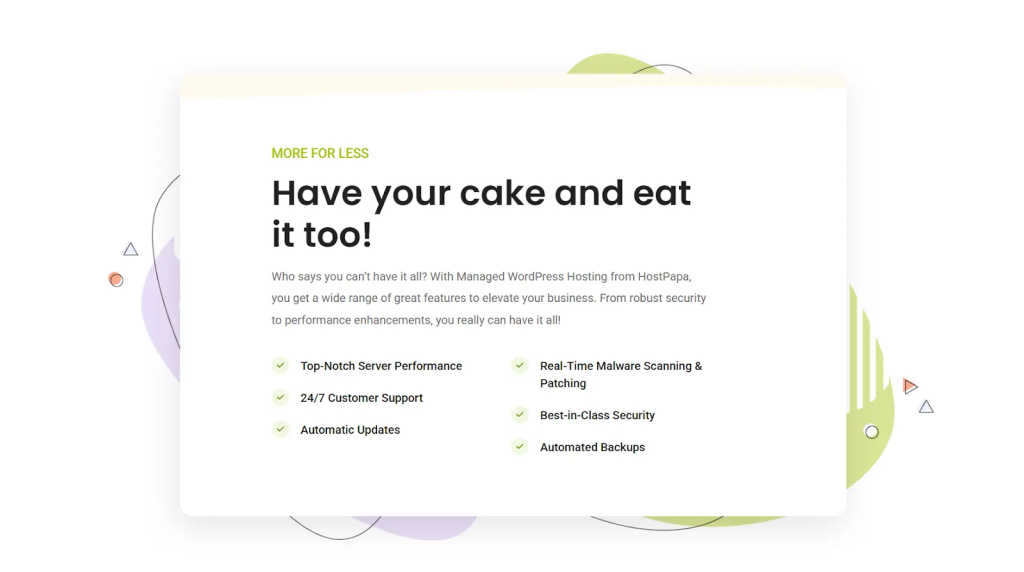
Managed WordPress Hosting is a type of hosting plan where the provider handles the technical heavy lifting for your WordPress website. That includes:
- Automatic WordPress core, theme, and plugin updates.
- Daily automated backups to protect against data loss.
- Security monitoring and threat prevention, including SSL certificates.
- Performance tuning built for WordPress workloads.
- Expert WordPress support around the clock.
An unmanaged hosting plan, often called WordPress Hosting, means you’re responsible for maintaining your own website, from security and performance details to everything in between. For many website owners, especially those without a technical background, that quickly becomes overwhelming.
With Managed WordPress hosting, your provider takes care of all that for you. The servers are tuned for WordPress workloads, and the entire hosting setup is built to get the most out of the platform. You focus on running your business and creating content. We handle the rest.
WordPress powers over 60% of the CMS market. With that kind of scale, platform-specific hosting isn’t a luxury. It’s a smart business decision. Generic hosting simply can’t deliver the same level of performance, security, and support that a WordPress-focused setup provides.
Ultra-Fast Performance & Speed Built for WordPress
Speed isn’t just about the convenience it produces. It directly affects your business’s bottom line. A dated but highly regarded research from Akamai Research shows that one-second delays in page load time reduce conversions by 7%. If your site takes too long to load, visitors leave before they ever see what you’re offering.

Managed WordPress hosting solves this by running your site on servers built specifically for WordPress workloads. Here’s what that looks like in practice:
- WordPress-tuned servers. Your hosting runs on enterprise-grade NVMe (Non-Volatile Memory Express) storage, the fastest commercial storage technology available, paired with hardware configured specifically for how WordPress processes requests.
- Built-in caching layers. Server-side caching and browser caching work together to serve your pages faster without you having to configure anything. Everything is pre-set and tested for WordPress.
- Global CDN with edge locations. Your content is delivered from whichever server is closest to your visitor, cutting down on load times regardless of geography.
- Brotli compression & image tuning. Files are compressed using Brotli (a modern compression algorithm) and images are automatically tuned for the web, reducing page weight without sacrificing quality.
With HostPapa’s Managed WordPress Hosting, you get all of this through a platform powered by Cloudflare Enterprise, the world’s fastest Content Delivery Network (or CDN). You can create, edit, and launch your WordPress website from a single, Easy-to-use dashboard without touching a single line of server configuration. We also include performance tuning, free SSL, and a full security suite, right out of the box.
Enterprise-Grade Security Without the Complexity
WordPress sites face a staggering number of threats. According to Wordfence research, WordPress sites are targeted by over 90,000 attack attempts per minute globally. By the end of 2025, there were hundreds of vulnerabilities discovered in WordPress plugins alone. Many of them were patched right away, but many more stay hidden until someone finds and reports them.
Managed WordPress hosting gives you multiple layers of protection without requiring you to be a security expert. With HostPapa, every Managed WordPress plan includes our full Website Security Suite:
- Web Application Firewall (WAF). Two firewalls, a Cloudflare Enterprise WAF and a local website firewall, scan all incoming requests and block threats before they reach your site.
- Real-time malware scanning & patching. Continuous monitoring detects and removes malicious code automatically.
- DDoS attack prevention. Absorbs large-scale volumetric attacks so your site stays online.
- Brute force detection. Limits login attempts to stop automated password-guessing attacks.
- SQL injection prevention. Blocks common database exploit techniques.
- Free SSL certificate. Encrypts data between your site and your visitors, building trust and meeting Google’s security requirements.
You get all of this out of the box. No extra plugins, no manual configuration, and no security expertise required. Your visitors’ data and your revenue are our primary responsibility.

Automatic Maintenance: Never Worry About Updates Again
If you’ve ever updated a WordPress plugin on your own and watched your site break, you know how stressful manual maintenance can be. Updates require technical skill, come with the risk of breaking changes, and can cause downtime if something goes wrong. For most site owners, keeping up with WordPress core, theme, and plugin updates is a recurring headache that eats into time you’d rather spend on your business.
Managed WordPress hosting takes this off your plate entirely. Here’s how it works:
- Automated updates run during off-peak hours. Your WordPress core, themes, and plugins stay current without you lifting a finger.
- Staging tests changes before they go live. Updates are tested in a safe copy of your site first, so nothing unexpected hits your live pages.
- Automatic rollback if issues are detected. If an update causes a problem, the system reverts to the previous working version and notifies you right away.
- You stay informed. If anything unusual happens during an update, you receive a notification so you’re always in the loop.
For agencies, the time savings add up fast. Managing 10 WordPress sites means roughly 10 hours per month of manual maintenance. Managed hosting removes that workload entirely, freeing you and your team to focus on clients and growth instead of plugin updates.
Built-In Backup & Disaster Recovery
Things go wrong. A plugin update breaks your site. A hacker injects malicious code. A database error corrupts your data. Without proper backups, any of these scenarios could take your site offline for days, costing you revenue and credibility.
Good backup practices mean the difference between a minor hiccup and a full-blown crisis. Here’s what to look for:
- Daily backups, not weekly. Weekly backups can mean losing up to seven days of content, orders, and customer data. Daily backups keep your losses to a minimum.
- Multiple geographic backup locations. Storing backups in one location creates a single point of failure. Redundant locations protect you even if one data centre has an issue.
- One-click restoration. When something breaks, you need to restore your site in minutes, not hours. Manual restoration processes are slow and error-prone.
With HostPapa’s Managed WordPress plans, you get automated daily backups, one-click restore from your dashboard, and multiple backup copies stored across different locations. Your data is protected and recoverable at all times. If your site goes down at 2:00 a.m. on a Saturday, you can bring it back yourself with a single click, or our PapaSquad support team can help you around the clock.
Scale Without Downtime or Configuration Headaches
Now imagine this: your latest marketing campaign takes off, a social media post goes viral, and your site traffic surges 10x or even more within 24 hours. On shared hosting, this is where you’d see an Error 503 page. This can also happen from a badly configured WordPress plugin. Your site crashes right when you need it most.
Managed WordPress hosting handles traffic spikes without you having to do anything. The hosting uses elastic cloud resources that automatically add computing power when demand increases and scale back down when traffic returns to normal. You don’t overpay during quiet periods, and you don’t crash during busy ones.
There’s no manual migration to a bigger plan, no downtime during the switch, and no IT expertise needed. The system handles it all in the background.
This matters for single-site owners, but it’s even more valuable for agencies. If you’re managing up to 10 client websites from a single HostPapa account, that scalability applies across your entire portfolio. One client’s viral moment doesn’t affect another client’s performance. Compare that to typical shared hosting setups that struggle to handle more than a couple of sites under load.
24/7 WordPress Expert Support When You Need It
Generic hosting support can help you reset a password or check if your server is online. But what happens when you’re dealing with a plugin conflict, a WooCommerce checkout issue, or a theme that’s slowing down your entire site? That’s where most support teams fall short.
With Managed WordPress hosting, your support team consists of WordPress-trained specialists who understand the platform inside and out. They can:
- Troubleshoot plugin conflicts and compatibility issues.
- Help with performance tuning for your specific setup.
- Advise on WordPress best practices for security and speed.
- Walk you through theme customization and WooCommerce configuration.
- Guide you through architectural decisions as your site grows.
HostPapa’s PapaSquad experts are available 24/7 by phone, chat, and email. You’ll always reach a real person, not a chatbot. With team members across 37 countries, we provide fast help in your language and timezone. It’s the kind of support that earns us a 4.8/5 rating on Trustpilot.
Here’s the value side of that: a professional WordPress developer charges around $150 per hour. That same level of expertise is included with your Managed WordPress plan at no extra cost. For agencies managing multiple client sites, this alone is worth thousands per year in avoided consulting fees.
Improve SEO Rankings With Hosting Setup
Your hosting has a direct impact on how well your site ranks in search engines. Google confirmed Core Web Vitals as a ranking signal within Page Experience, and these metrics account for 30-40% of your overall performance score. If your hosting can’t keep up, your SEO suffers no matter how good your content is.
The three Core Web Vitals metrics that matter are:
- Largest Contentful Paint (LCP). How fast your main content loads. Good targets are under 2.5 seconds.
- Interaction to Next Paint (INP). How quickly the page responds to user input.
- Cumulative Layout Shift (CLS). How stable your page layout is during loading.
Here’s where Managed WordPress hosting makes a real difference:
- Faster TTFB improves LCP. Time to First Byte (TTFB) is the foundation of page load speed. Shared hosting typically shows TTFB around 600ms, while Managed WordPress hosting delivers around 300ms. That 300ms improvement directly lifts your LCP score.
- Global CDN reduces latency. HostPapa’s Cloudflare Enterprise CDN serves content from 330 locations worldwide, so visitors everywhere experience fast load times.
- Stable uptime prevents CLS issues. Consistent server performance reduces the layout shift that frustrates users. HostPapa guarantees 99.9% uptime.
- Clean server setup supports technical SEO. A Managed WordPress server makes it easier to set up schema.org/JSON-LD markup, canonical tags, redirects, and other technical SEO elements without server-level conflicts. On poorly tuned shared hosting, these technical elements often don’t work properly.
Google’s own data shows that bounce rate probability increases by 32% when page load times go from one to three seconds. Faster hosting helps your visitors stay longer, engage more, and come back often. These are behavioural signals that feed into your ranking over time.
Managed vs. Unmanaged: A Clear Comparison
One of the most common questions we hear is: “Why not just use regular web hosting?”
It’s a fair question. Here’s the short version: unmanaged hosting gives you a server and leaves the rest to you. Managed WordPress hosting gives you everything handled by your provider, from updates and backups to security and performance tuning.
- Unmanaged hosting gives you a server and leaves the rest to you. You’re responsible for WordPress updates, security configuration, backups, caching setup, and performance tuning. It’s cheaper on paper, but the hidden costs add up fast when you factor in your time and effort.
- Managed WordPress hosting gives you all of that handled by your provider. Servers tuned for WordPress. Automatic updates. Built-in security. Daily backups. Expert support is included in the price. Many managed plans also support multiple sites, so you can manage several websites from a single dashboard, which is perfect for agencies or anyone with a growing web presence.
Here’s how they compare side by side:
| Feature | Unmanaged WordPress Hosting | Managed WordPress Hosting |
| Monthly service cost | Lower (~$4-10/month). | Higher (~$20-30/month). |
| Server maintenance responsibility | You handle everything. | The provider handles it. |
| Security management | Your responsibility. | Included (WAF, scanning, SSL). |
| Backups | Manual or plugin-based. | Automated daily. |
| Performance tuning | Self-configured. | Pre-tuned for WordPress. |
| Expert support | Generic hosting support. | WordPress-specialist support. |
| Technical skill required | High. | Low. |
| Scalability | Limited. It may struggle with traffic spikes. | Scalable plans can accommodate increased traffic, keeping your website fast and responsive no matter how many visitors you receive. |
A common misconception is that Managed WordPress hosting restricts your customization. That’s not the case at all. You still get full admin access to themes, plugins, and content. You can install any plugin you want and customize your theme however you’d like. The difference is that you don’t have to touch the underlying server. Your provider manages that for you.
Is Managed WordPress Hosting Right for Your Website?
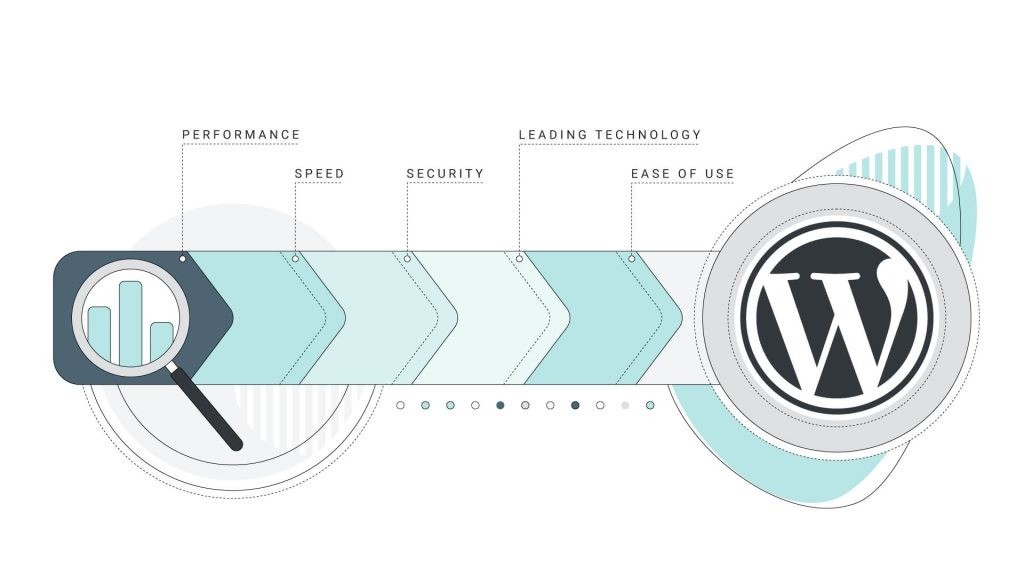
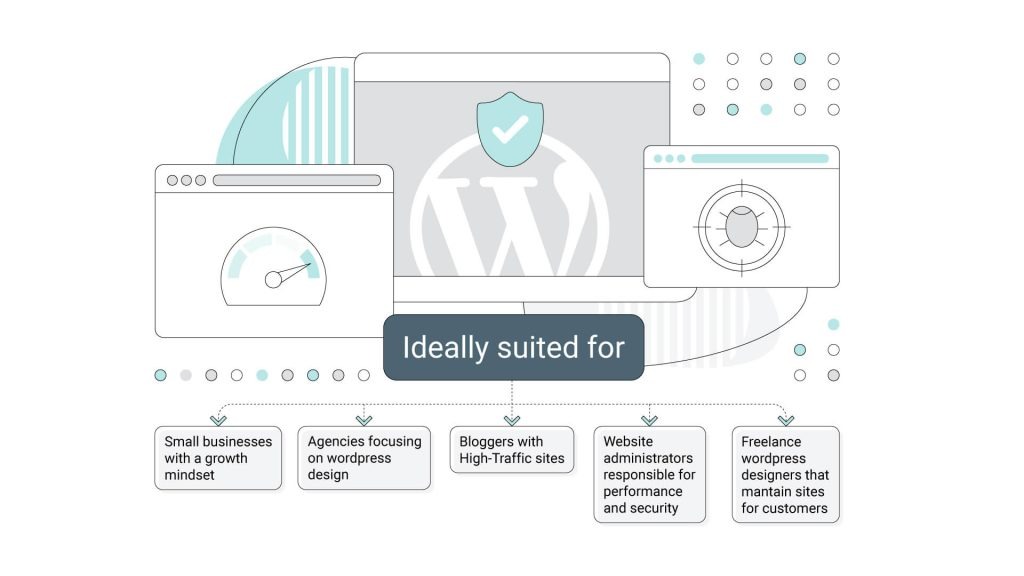
Managed WordPress hosting isn’t for everyone, and that’s perfectly fine. It shines brightest for business sites that need automated tools and reliable performance to support their goals. Here’s who benefits the most.
eCommerce Site Owners
Every minute of downtime for your online store means lost sales. Security vulnerabilities put customer payment data at risk. Faster page loads directly lead to higher conversion rates. If you’re running WooCommerce, Managed WordPress hosting is a strong fit. eCommerce sites with steady traffic see major benefits from the speed, security, and stability that come built in.
Agencies Managing Multiple WordPress Sites
Slow websites that don’t rank well can hurt your agency’s reputation. Instead of juggling individual update schedules, backup setups, and security configurations across dozens of client sites, you manage everything from one dashboard.
HostPapa’s Managed WordPress plans let you manage up to 10 sites from a single account, with scalability that works across your entire portfolio.
High-Traffic Bloggers
Professional bloggers generating revenue through ads, sponsorships, or affiliate links can’t afford downtime during traffic spikes. If you’re getting 10,000+ monthly visitors, shared hosting starts to struggle. Managed hosting handles surges automatically. The speed improvements boost SEO visibility, which brings even more visitors. That means more time creating content and less time troubleshooting server issues.
Growing Small Businesses
If you get steady traffic to your website, have a consistent revenue stream, and feel like you’re outgrowing your current shared hosting plan, Managed WordPress hosting is the natural next step.
It gives you room to grow without jumping straight to full enterprise-level hosting. It also gives you more time to focus on what actually moves the needle for your business.
Freelance WordPress Designers
Freelancers who maintain client websites need fast, secure hosting that requires minimal upkeep. Managed hosting lets you deliver high-performing sites to clients without spending all your time on backend maintenance. That means more time designing new sites.
When It’s Not the Right Fit
If you have a static WordPress site that doesn’t get much daily traffic and you have no plans to grow your audience, shared hosting works just fine. If you need custom server software beyond WordPress or full root server access, a virtual private server (VPS) or dedicated server is a better choice. For a straightforward, affordable plan, there’s always simple web hosting.
Managed WordPress vs. Shopify, Wix & WordPress.com
How does Managed WordPress hosting compare to all-in-one platforms like Shopify, Wix, or WordPress.com? This is another soft-reason for you to consider Managed WordPress for your projects.
The differences come down to three things: ownership, customization, and long-term flexibility.
| Factor | Managed WordPress (Self-Hosted) | WordPress.com | Shopify | Wix |
| Content ownership | Full. You own a domain, a database, and the content. | Limited. | Limited. | Limited. |
| Plugin and theme freedom | Unlimited websites. | Restricted. | Template-based. | Template-based. |
| SEO control | Full (meta tags, schema, redirects, canonicals). | Limited tools. | Limited. | Limited. |
| Data portability | Migrate your existing site to any WordPress host easily. | Difficult. | Difficult. | Very difficult. |
| Maintenance effort | Handled by your hosting provider. | Handled by WordPress.com. | Handled by Shopify. | Handled by Wix. |
| Customization ceiling | Unlimited. | Low to moderate. | Moderate. | Low. |
The biggest advantage of self-hosted managed WordPress is ownership. Your domain (if you have a free domain or purchased from our Domains page), database, and content belong to you completely. If you ever switch hosting providers, your entire site migrates to any other WordPress host without losing anything. There’s no platform lock-in.
With WordPress.com, Shopify, and Wix, you’re a tenant on someone else’s platform. Your content and data are tied to their setup. Migrating away can be complex, expensive, or in some cases, nearly impossible. If the platform changes its pricing, features, or terms of service, you’re stuck adapting.
HostPapa’s Managed WordPress Hosting gives you the best of both worlds. We handle the server side (like the convenience of Shopify or Wix) while you keep full ownership and control. You’re never locked in. If you outgrow us, your site migrates to any other host easily. We’ll even help you migrate in for free.
Is Managed WordPress Worth the Cost? Calculate Your ROI

The sticker price of Managed WordPress hosting is higher than basic shared hosting. But the sticker price doesn’t tell the full story. The real cost of hosting includes the time you spend on maintenance, troubleshooting, and fixes.
Here’s the true cost equation:
Service cost ($) + maintenance hours x your hourly rate = total cost.
For an unmanaged setup: $4/month hosting + 4 hours of monthly maintenance x $50/hour = $204/month total.
For a managed setup: $25/month hosting + 0 hours of maintenance = $25/month total.
That’s a savings of $179/month, or $2,148 per year. And that’s just the direct cost savings.
For sites that generate revenue, the performance improvements pay for themselves even faster. Managed WordPress hosting typically delivers a 1-2 second improvement in TTFB over shared hosting. Research shows that this kind of speed gain can produce a 5-10% conversion lift from faster load times, plus a 20-30% traffic increase from better SEO rankings driven by improved speed.
Here’s what that looks like for a real business: A site earning $10,000/month that sees a 5% conversion lift gains an extra $500/month in revenue. Compared to the $25/month hosting cost, that’s a 2,000% return on investment, with the hosting paying for itself in about two days.
Every HostPapa Managed WordPress plan also comes with a 30-day money-back guarantee. If you’re not satisfied for any reason, you get a full refund, no questions asked. You can explore our Managed WordPress plans here and see which option fits your needs and budget.
FREQUENTLY ASKED QUESTIONS
What is the difference between managed and unmanaged WordPress hosting?
Managed hosting means your provider handles updates, security patching, backups, and performance tuning for you. Unmanaged hosting gives you a server and leaves you to manage everything yourself.
Is managed WordPress hosting worth it for small businesses?
Yes. If your WordPress site generates revenue, attracts consistent traffic, or represents your brand online, the time savings and performance improvements typically deliver a positive return within the first month.
Does managed WordPress hosting include an SSL certificate?
Yes. HostPapa’s Managed WordPress plans include a free standard SSL certificate with every WordPress install.
Can I install custom plugins on managed WordPress hosting?
Yes, you can. You keep full admin access to install any plugin, theme, or customization you’d like. Managed hosting handles the server side, not your WordPress content or settings.
How does managed WordPress hosting boost site speed?
Through WordPress-specific tuning on server resources to support even multiple websites at once, built-in caching, a global CDN (HostPapa uses Cloudflare Enterprise with 330 locations), NVMe storage, Brotli compression, and image tuning. All pre-configured and ready to go.
Is managed WordPress hosting good for WooCommerce stores?
Very much so. WooCommerce sites benefit from faster page loads (which lift conversion rates), built-in security to protect customer data, and automatic backups to safeguard your product and order data.