To create a new WordPress site with HostPapa’s Managed WordPress Dashboard, log in to your HostPapa Dashboard, click My WordPress, and then click Add Site. Next, choose how you want to handle your domain: use one already registered with HostPapa, connect one from a third-party registrar, or register a new domain. Enter the domain name, select your website location, and click Continue. Your new site appears in the dashboard labelled “Installation in progress” and is ready to use within a few minutes.
This Knowledge Base article explains how to create a new WordPress site with your Managed WordPress Dashboard, an easy-to-use tool for HostPapa’s customers. Just follow these steps:
- Log in to your HostPapa Dashboard.
- Click on My WordPress.

- Click Add Site.
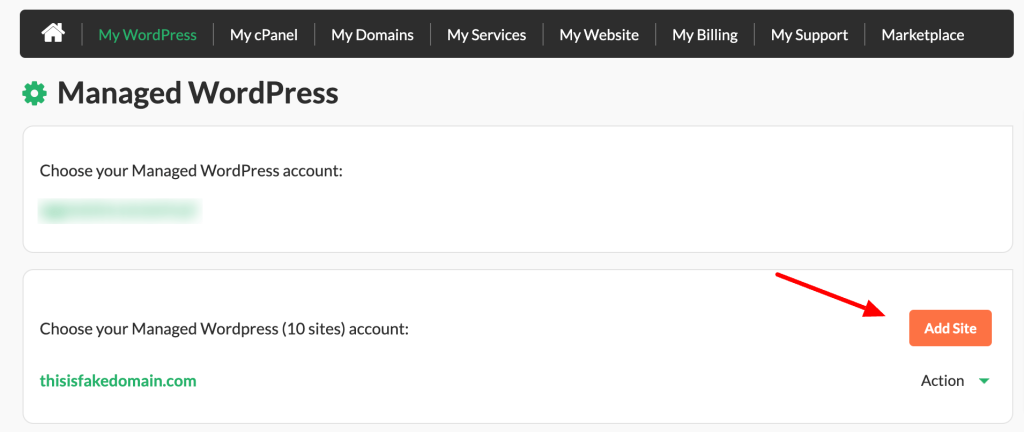
- To create a new Managed WordPress site, choose one of the following options:
- I already own a domain name I’d like to use with Managed WordPress – Choose this if you have an existing domain registered with HostPapa. In this article you can learn how to point your HostPapa domain to Managed WordPress.
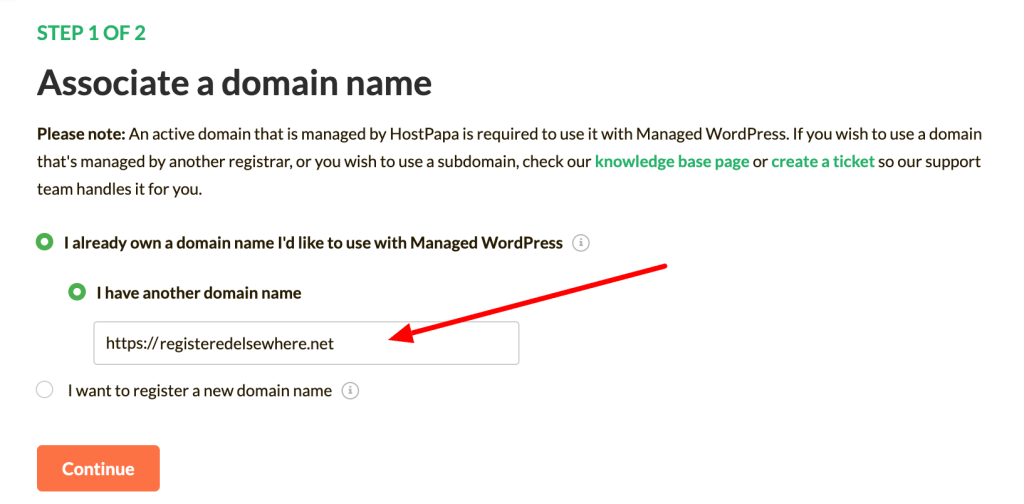
- I have another domain name – If you don’t have a domain registered with HostPapa, this option will activate. Choose this option if you have an existing domain registered with a 3rd-party registrar. In this article you can learn how to point a domain registered by a third party to Managed WordPress.
- I want to register a new domain name – Choose this option if you wish to register a new domain with HostPapa.
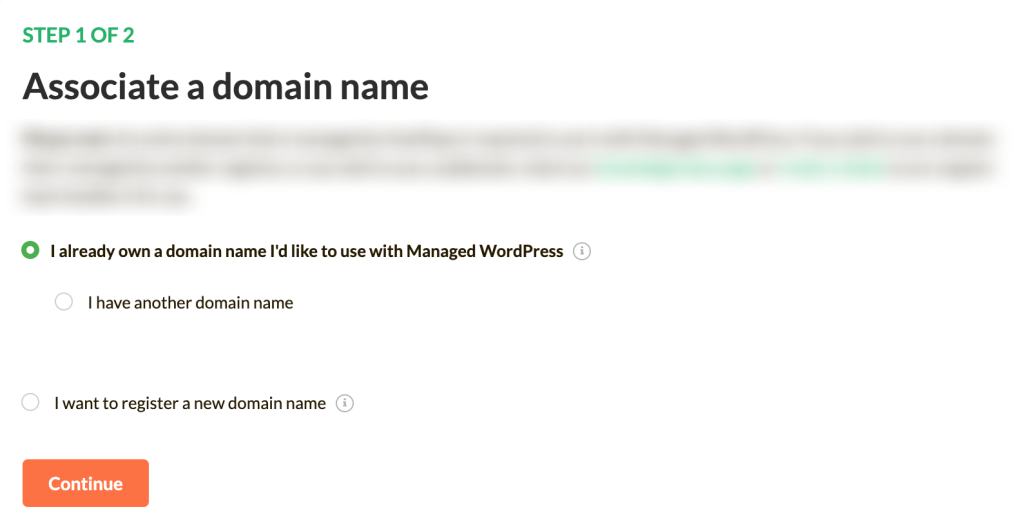
- If required, add your domain name and click Continue.
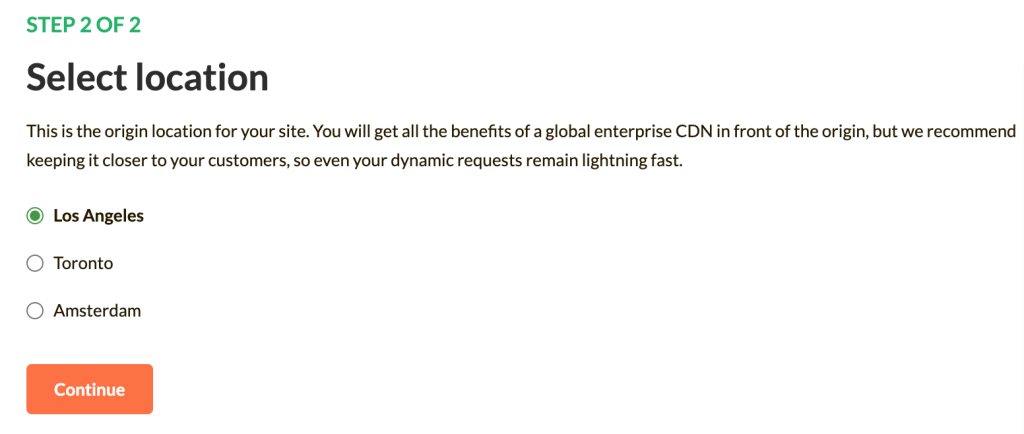
- Select your website location and click Continue.
- Finally, you will be redirected to your HostPapa Dashboard. Your new site will appear with the label “Installation in progress”.
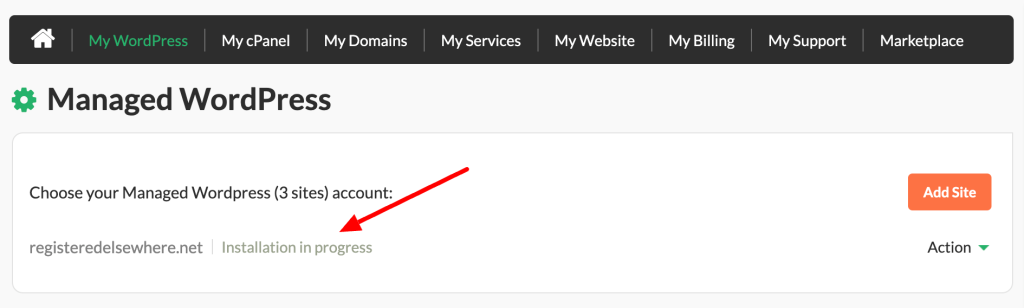
- After a few minutes, this label will disappear and your site will be ready to use.
Now you know how to create a new WordPress site with your Managed WordPress Dashboard! Here are more related articles for you:
More Managed WordPress Resources
- How to delete a site in your Managed WordPress Dashboard
- How to create a staging site on Managed WordPress service
- How to clear your cache on Managed WordPress service
If you need help with your HostPapa account, please open a support ticket from your dashboard.