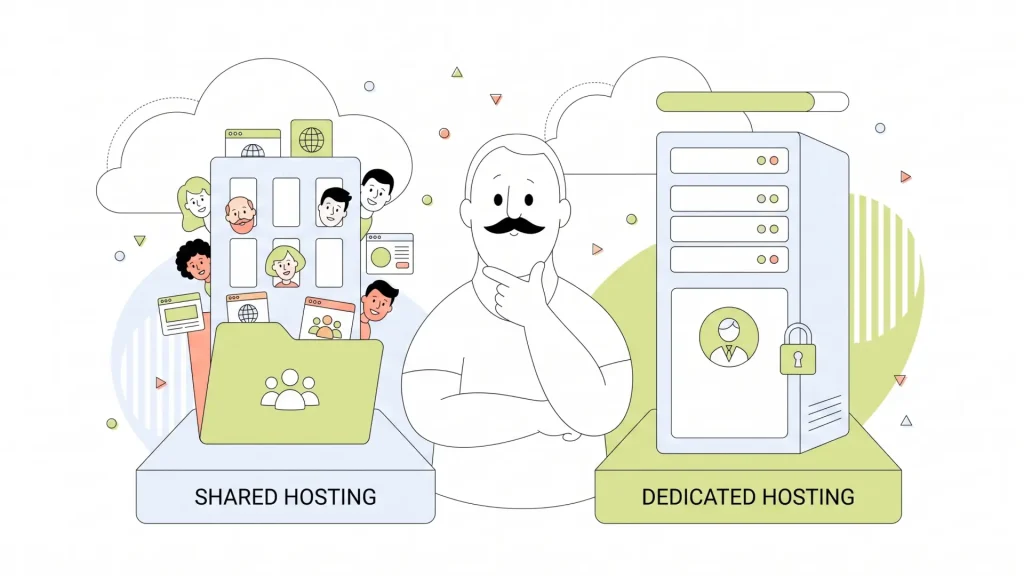
Quick answer: Shared hosting suits new websites, personal sites, blogs, and small businesses with modest traffic and a tight budget. VPS hosting is a strong next step for growing sites that need guaranteed resources and more control. Dedicated hosting fits high-traffic, resource-heavy, or compliance-sensitive websites, while cloud hosting is best for sites with unpredictable traffic that need to scale quickly.
Choosing between shared vs. VPS vs. dedicated vs. cloud hosting comes down to four practical questions: How much traffic do you receive, how predictable is it, how much control do you need, and how comfortable are you managing server settings? The right plan gives your visitors a fast, reliable experience without making you pay for capacity you won’t use.
We’ll compare all four types of web hosting, their benefits and limits, and the situations where each one makes the most sense.
- The 7 Types of Web Hosting at a Glance
- Shared Hosting: Pros, Cons & Best Use Cases
- VPS Hosting: Pros, Cons & Best Use Cases
- Dedicated Hosting: Pros, Cons & Best Use Cases
- What Is Cloud Hosting? Pros, Cons & Best Use Cases
- VPS Hosting vs. Dedicated Hosting: Which Should You Choose?
- VPS Hosting vs. Cloud Hosting: Which Should You Choose?
- How to Choose the Best Web Hosting Solution for Your Website
- Choose Hosting That Fits Your Next Stage
The 7 Types of Web Hosting at a Glance
Web hosting gives your website a home online. The main difference between the types of web hosting is how server resources, such as processing power, memory, storage, and bandwidth, are assigned to your website. Your ideal plan also depends on the type of website you run, expected traffic, technical comfort, and budget.
This web hosting comparison table gives you a quick overview of the most common hosting types. Prices vary by provider, plan term, management level, included features, and add-ons, so use these ranges as general guidance rather than a quote.
| Hosting Type | Typical Cost Range | Best For | Resource Sharing | Control Level | Technical Skill Needed |
| Shared hosting | Low, often a few dollars per month | New websites, portfolios, blogs, and small business sites | Many websites share one physical server | Basic | Low |
| Managed WordPress hosting | Low to mid-range | WordPress sites that need hands-on technical support and WordPress-specific tools | Depends on the plan and server setup | Basic to medium | Low |
| VPS hosting | Mid-range, often tens of dollars per month | Growing businesses, busy WordPress sites, online stores, and custom applications | A physical server is divided into isolated virtual servers | Medium to high | Medium, or low with managed VPS |
| Dedicated hosting | Higher, often $100+ per month | High-traffic stores, large applications, and specialised workloads | No sharing; you rent the full physical server | High | Medium to high |
| Cloud hosting | Variable, from entry-level plans to usage-based pricing | Fast-growing sites, major campaigns, and websites with unpredictable traffic | Resources come from a connected group of servers | Medium to high | Medium |
| Reseller hosting | Mid-range | Agencies, web designers, developers, and entrepreneurs selling hosting to clients | Resources are allocated from a reseller hosting account | Medium | Medium |
| eCommerce hosting | Varies by store size and hosting configuration | Online stores that need reliable checkout, security, and room to grow | Depends on the hosting plan behind the store | Basic to high | Low to medium |
Shared hosting is the most affordable type of web hosting for new websites and smaller sites with predictable traffic. Managed WordPress hosting is built for WordPress users who want a simpler way to manage updates, security, performance, and daily maintenance without handling every technical task themselves.
VPS hosting gives growing websites dedicated virtual resources and more control than shared hosting. Dedicated hosting gives you an entire physical server for high-traffic websites, complex applications, and businesses with demanding security or performance needs. Cloud hosting is a strong choice when traffic can spike without warning because it can draw resources from a network of connected servers.
Reseller hosting is designed for agencies, developers, and service providers that want to offer hosting to clients under their own brand. eCommerce hosting supports online stores with the tools and capacity needed to keep product pages, shopping carts, checkout pages, and customer data running reliably.
If you’re comparing web hosting options, start with your website’s current traffic, what it needs to do, and how much technical management you want to take on. Shared hosting and Managed WordPress are often the best starting points for small businesses. VPS hosting, dedicated hosting, and cloud hosting offer more resources as your website grows. Reseller hosting and eCommerce hosting serve more specialised business needs, including managing client websites and selling products online.
Shared Hosting: Pros, Cons & Best Use Cases
Shared hosting places several websites on one physical server. Each site has its own files, domain, email accounts, and hosting account, but the sites share the server’s underlying processing power, memory, and storage resources.
Think of it like renting a flat in a well-managed building. You have your own private home, but you share the building’s utilities and structure with other residents. The hosting provider handles server maintenance, core security, and hardware, so you can focus on your website instead of server administration.
This setup is why shared hosting is one of the most accessible types of web hosting. It gives first-time site owners a straightforward way to publish a website without needing to configure an operating system or manage server software.
Cost & Ideal Use Cases
Shared hosting is generally the lowest-cost option. Promotional plans can start at a few dollars per month, while renewal rates, storage limits, included tools, and the length of your term affect the final price.
It’s a good fit if your site has steady, modest traffic and your needs are simple.
Common examples include:
- A local service business site with contact details, service pages, and a booking form.
- A personal portfolio for a designer, consultant, or job seeker.
- A blog that is building its audience.
- A small brochure site for a restaurant, club, or community group.
- An early-stage online store with a small catalogue and limited daily orders.
For a closer look at how it compares with a virtual private server, read our guide about web hosting vs. VPS hosting.
Pros of Shared Hosting
Shared hosting makes getting online easier. Most plans include a control panel, one-click app installers, email tools, and support, which reduces the amount of technical work on your list.
It also keeps costs predictable. Because many customers use the same physical machine, the provider can spread hardware and maintenance costs across accounts. That makes shared hosting a practical choice when you need a professional site but don’t need dedicated server-level capacity.
It’s also easy to grow out of. You can begin with a lower-cost plan, track traffic and performance, then move to a VPS or another solution when your site needs more room.
Cons of Shared Hosting
The trade-off is shared capacity. If another account on the server experiences a large traffic surge or runs inefficient code, it can affect the resources available to neighbouring accounts. Reputable providers manage this carefully, but shared hosting still offers less isolation than VPS or dedicated hosting.
You’ll also have less control over server settings. You can manage your website, databases, email, and common applications, but you can’t make big server-level changes or choose the hardware.
Security remains a shared responsibility. Your host protects the server, while you need to keep WordPress, themes, plugins, passwords, and site software up to date. A neglected site can create risks for its own account. Slow loading during busy periods can also hurt user experience and make it harder to support your SEO goals, especially if your site is growing quickly.

VPS Hosting: Pros, Cons & Best Use Cases
A Virtual Private Server (VPS) divides one physical server into separate virtual servers. Each VPS acts like its own server and receives allocated processing power, memory, storage, and operating system resources. You still share the physical hardware, but your environment is isolated from other VPS customers.
VPS hosting marries the affordability of shared hosting with much of the control and reliability people associate with dedicated hosting. It’s often the right move when a website has outgrown shared hosting but doesn’t need, or can’t justify, an entire physical server.
Our VPS Hosting plans give growing websites a more flexible home with dedicated resources. You can choose a managed service if you want help with the technical side, or an unmanaged service if you have the skills and want more hands-on control.
Cost & Ideal Use Cases
VPS hosting generally falls in the middle of the pricing scale. Plans often range from tens of dollars per month upward, depending on allocated CPU cores, RAM, NVMe storage, bandwidth, backups, control panel licensing, and whether the plan is managed.
VPS hosting is a smart choice for:
- Small and medium-sized businesses that need faster, more consistent site performance.
- Growing WordPress sites with more visitors, plugins, or WooCommerce activity.
- eCommerce stores that need reliable checkout performance.
- Agencies managing several client sites or staging environments.
- Developers running custom software, test environments, or applications that need server access.
If your shared hosting account regularly reaches resource limits, pages slow down at peak times, or you need software settings that shared hosting doesn’t allow, a VPS can give you more breathing room.
Pros of VPS Hosting
A VPS gives you allocated resources, so your site has a defined share of CPU, memory, and storage. This improves consistency compared with a shared hosting account, where resources are pooled among many sites. It also gives you more control. Depending on your plan, you can access server settings, install approved software, configure applications, and set up a hosting environment that suits your site. The isolation between VPS accounts also provides a stronger security boundary than conventional shared hosting.
VPS plans are easier to scale than a traditional shared account. You can often increase resources as your website grows instead of moving straight to a dedicated server. That makes VPS hosting a practical middle ground for businesses that want to grow carefully.
Cons of VPS Hosting
VPS hosting costs more than shared hosting. The added price pays for reserved resources and greater control, so it’s most useful when your website can benefit from both. Technical work is another consideration. An unmanaged VPS puts more responsibility on you or your developer. You may need to install updates, configure security, monitor performance, manage backups, and fix server-level issues. If that doesn’t fit your schedule or skill set, managed vs. unmanaged VPS hosting is worth understanding before you choose.
HostPapa Managed VPS can take the server-management burden off your team, so you can get VPS resources without handling every maintenance task yourself. You’ll still want to manage your website and applications, but our team helps look after the server side.
Dedicated Hosting: Pros, Cons & Best Use Cases
Dedicated hosting gives your business an entire physical server. No other customer websites use that machine’s CPU, memory, storage, or network resources. You get the full capacity of the server for your website, application, database, or eCommerce store.
This makes dedicated hosting useful for demanding workloads. You can select hardware and software settings that match your needs, run custom applications, and set stricter access controls. Your performance is not affected by other customers sharing the same physical server because there are no server neighbours. A dedicated server is powerful, but it isn’t automatically the best choice for every busy website. It costs more and requires more planning than shared hosting or VPS hosting.
Cost & Ideal Use Cases
Dedicated hosting typically starts around $100 per month and can rise based on processor choice, memory, storage, bandwidth, management, security services, and support requirements. It works best for organisations that can clearly use that capacity.
Good use cases include:
- Established eCommerce stores processing frequent orders or running resource-heavy extensions.
- Websites with consistently high traffic and demanding database queries.
- Agencies or software companies that need to host custom applications.
- Businesses that need stronger isolation for internal policies or compliance obligations.
- Large media libraries, learning platforms, and membership sites serving many concurrent users.
For example, an online retailer with thousands of visitors every day, large product searches, and frequent checkout activity may need the extra headroom and control of a dedicated server.
Pros of Dedicated Hosting
Dedicated hosting offers exclusive resources, which support consistent performance under heavy workloads. You have more freedom to configure the operating system, software stack, firewall rules, storage setup, and other server settings to suit your site.
It also provides a higher level of isolation. This can help businesses that handle sensitive information, have internal security requirements, or want tighter control over who can access server resources.
Dedicated servers can be reliable for steady, demanding workloads because you know the full hardware capacity available to you. If your traffic and resource needs remain consistently high, this predictability can be valuable.
Cons of Dedicated Hosting
Cost is the biggest drawback. You pay for the whole server, including capacity your site might not use yet. That makes dedicated hosting harder to justify for a new blog, a small business brochure site, or a store with occasional traffic peaks.
It also calls for more technical knowledge. Unmanaged dedicated servers require you to handle server setup, patches, monitoring, security hardening, and troubleshooting. A managed option can reduce that work, but you should still understand your site’s requirements and choose a configuration carefully.
Scaling can take longer than it does in a cloud setup. If you need more memory, storage, or processing power, you may need a hardware upgrade or a move to a new server. Plan if your website expects sudden campaigns, viral traffic, or seasonal demand.
What Is Cloud Hosting? Pros, Cons & Best Use Cases
Cloud hosting runs your website using resources from a group of connected servers rather than relying on one physical machine. If one server has a problem, another server in the group can help keep your site available. Resources can also be added or reduced more easily as demand changes. Picture a team instead of a single employee. One person can handle a normal workload, but a team can share the work when a busy period arrives. Cloud hosting uses that same idea for website resources, distributing work across multiple servers.
This design makes cloud hosting a strong option for websites where traffic changes quickly. A marketing campaign, product launch, holiday sale, media mention, or viral post can bring a large wave of visitors in a short time. Cloud capacity can respond better to those changes than a fixed single-server setup.
Cost & Ideal Use Cases
Cloud hosting pricing varies widely. Some providers offer fixed monthly plans, while others charge based on the resources you use, such as compute time, storage, bandwidth, or database services. Usage-based billing can be efficient for variable demand, but it needs monitoring so your bill doesn’t surprise you after a traffic spike.
Cloud hosting suits:
- Online stores with seasonal sales or campaign-driven traffic.
- Startups that expect rapid changes in visitor numbers.
- Media sites that can receive sudden attention from social media or news coverage.
- Businesses that need strong availability and disaster recovery options.
- Applications that need to scale individual components, such as a database or file storage, instead of only the whole website.
A ticketing platform is a good example. It may have ordinary traffic most days, then receive a sharp rush when tickets go on sale. Cloud hosting can add capacity for the rush and reduce it later.
Pros of Cloud Hosting
Cloud hosting is built for flexibility. You can increase or reduce resources to match demand, which helps when traffic is unpredictable or your business is growing quickly. It can also improve availability because your website does not rely on one server alone. Providers can distribute workloads across multiple systems, which reduces the chance that a single hardware issue takes your site offline.
Cloud services often give developers useful configuration choices. You can select resource levels, regions, storage types, backups, and other services based on the needs of your website or application. That flexibility can support custom projects that would be hard to run on a standard shared hosting account.
Cons of Cloud Hosting
Cloud costs can be less predictable than a fixed VPS plan. Usage-based billing means a large traffic surge, inefficient application, or poorly configured service can raise your monthly bill. Set budgets, alerts, and limits if your provider offers them. Cloud hosting can also introduce more moving parts. A basic website may not need distributed services, load balancing, or advanced monitoring, and managing them can take technical knowledge. Some cloud platforms are designed for developers rather than first-time website owners.
Your site also relies on network connectivity between the cloud services that power it. Providers build redundancy into their systems, but an internet or regional service issue can still affect availability. Choose a provider with clear uptime commitments, backups, support, and recovery options.
VPS Hosting vs. Dedicated Hosting: Which Should You Choose?
VPS hosting and dedicated hosting both offer more power and control than shared hosting, but they solve different problems. A VPS gives you guaranteed, isolated resources on shared physical hardware. A dedicated server gives you the entire physical machine, including complete hardware control.
Choose VPS hosting if your business needs stable performance, more server access, and room to grow without paying for a full server. It’s a practical choice for growing stores, active WordPress sites, agencies, and custom applications with steady mid-level demand. You can often scale a VPS plan as your needs rise.
Move from VPS to dedicated hosting if one or more of these signals becomes consistent:
- Your website has high, sustained traffic and regularly needs more CPU, memory, or storage than a VPS plan can provide.
- You have strict compliance, security, or internal policy requirements that call for exclusive physical hardware.
- You need full control over the server’s hardware configuration, operating system settings, or specialised software.
Choose a dedicated server if your resource needs are consistently high and predictable. A high-volume eCommerce store, a large membership platform, or a business application with heavy database use can benefit from exclusive capacity. If your traffic rises and falls sharply instead, cloud hosting may offer a better way to add capacity during busy periods.
VPS Hosting vs. Cloud Hosting: Which Should You Choose?
VPS hosting gives you fixed, allocated resources on shared hardware for a known monthly price. Cloud hosting draws resources from a network of servers and can scale those resources up or down as demand changes.
Pick VPS hosting if your traffic is steady and you value predictable monthly costs. It works well for a business website, a growing blog, an established online store, or an application with regular demand. A VPS is also a good fit if you need server-level control but don’t need automatic scaling across several machines.
Pick cloud hosting if visitor numbers can change quickly. It’s better suited to big promotional campaigns, seasonal sales, fast-growing products, media attention, or apps with uneven demand. You pay for flexibility, and usage-based pricing can rise during busy periods.
Use these signs to decide:
- Choose VPS when traffic is stable, resource use is easy to forecast, and a fixed budget matters most.
- Choose cloud when traffic spikes are frequent or hard to predict, and you need capacity to change quickly.
- Choose cloud when your site needs high availability across multiple servers or regions.
A simple example helps. A professional services firm with a consistent number of visitors each month will often find VPS hosting easier to budget for. A retailer running limited-time sales with sudden visitor surges may get more value from cloud hosting’s flexible capacity.
How to Choose the Best Web Hosting Solution for Your Website
The best web hosting for small business sites is the plan that meets today’s needs and gives you a clear upgrade path. Start with your non-negotiables, then separate them from features that would simply be nice to have.
Use this web hosting checklist before you choose:
- Check your traffic pattern. Look at current monthly visitors, peak traffic, and the campaigns or seasons that bring surges. Steady, modest traffic points to shared hosting. Growing or more demanding sites often need VPS. High, predictable demand can justify dedicated hosting, while sharp swings favour cloud hosting.
- List the work your site performs. A simple contact form and a small image gallery need far less capacity than a busy WooCommerce store, membership site, learning platform, or custom application.
- Set a realistic budget. Include your renewal price, backups, security tools, domains, and technical help, not just the introductory monthly rate. Predictable traffic often suits a fixed-cost VPS. Variable traffic can make cloud pricing worthwhile if flexibility matters more.
- Decide who will manage the server. Shared hosting requires the least server knowledge. An unmanaged VPS or dedicated server needs technical skills. Managed hosting is a better fit if you want more power without putting patches, monitoring, and server maintenance on your team’s to-do list.
- Check support and recovery options. Look for clear uptime commitments, backups, security features, migration support, and real people you can reach when you need help. HostPapa’s PapaSquad experts are available 24/7 by phone, chat, and email, and our plans include a 30-day money-back guarantee.
Compare HostPapa hosting plans to match your traffic, budget, and technical comfort with the right starting point.

Choose Hosting That Fits Your Next Stage
There isn’t one best answer in the shared vs. VPS vs. dedicated vs. cloud hosting comparison. Shared hosting gives new and smaller sites an affordable start. VPS offers a useful balance of resources, control, and cost for growing websites. Dedicated servers fit sustained, demanding workloads, and cloud hosting helps sites handle changing traffic without relying on one machine.
Start with the plan that fits your current traffic, budget, and technical comfort, then choose a provider that can support your next stage. Explore HostPapa Web Hosting for an easy starting point, or choose VPS Hosting when you’re ready for more control. If you’re stuck between two options, our PapaSquad team is available 24/7 to help you talk through the practical differences.