Your business data is one of your most valuable assets. Customer records, payment details, and employee files: lose control of them, and you’re facing more than a bad day. You’re facing fines, lawsuits, and a reputation hit that sticks around long after the headlines fade.
Small businesses are targeted more than most people realize. Attackers know that SMBs often have limited IT resources. That makes data security a smart, proactive investment, not just a checkbox exercise.
This guide covers every area of company data security and AI data protection in plain, practical terms. You’ll find something useful here, no matter what kind of business you run.
CONTENTS TABLE
- What Is Company Data Security?
- Why Data Security Matters for Small Businesses
- Know Your Data: What You Collect & Where It Lives
- Build a Simple Company Data Security Policy
- Strengthen Passwords & Access Control
- Secure Your Network, Servers & Wi-Fi
- Keep Systems, Websites & Apps up to Date
- Encrypt Sensitive Data, Emails & Websites
- Protect Devices & Physical Documents
- Back Up Data & Plan for Incidents
- Cloud, SaaS & Vendor Security Basics
- AI Data Security: Using AI Safely With Company Data
- Compliance, Privacy & Customer Trust
- How HostPapa Helps Protect Your Company Data
- Checklist: 10 Actions to Improve Company Data Security This Month
“Consequence now reaches global scale, where a single outage can ripple across borders, governments and industries causing staggering losses to the global economy.” [1]
Christopher Hills, Data Center Security, 2026.
What Is Company Data Security?
Company data security is the practice of protecting the information your business collects, stores, and uses, including customer names and emails, payment card numbers, employee records, internal financials, and website backend data.
The CIA Triad Explained Simply
A useful way to think about data security is through the CIA triad, a framework used by security professionals worldwide:
- Confidentiality: Only the right people can access sensitive data.
- Integrity: Data stays accurate and untampered.
- Availability: Systems and data are accessible when you need them.
Most security incidents are a failure of at least one of these three principles. A ransomware attack takes down Availability. A stolen database violates Confidentiality. Unauthorized changes to records compromise Integrity.
How Data Security Differs From Cybersecurity
Cybersecurity is the broader umbrella. It covers threats to networks, devices, and systems in general. Business data protection is more focused. It’s specifically about keeping your information assets safe from loss, theft, or misuse.
For small businesses, this distinction matters because you probably collect more data than you realize. Every contact form, online order, and login creates a data trail. Understanding and protecting what you hold is the foundation of everything else.

Why Data Security Matters for Small Businesses
Here’s a figure worth bookmarking: The average cost of a data breach for small and mid-sized businesses runs into hundreds of thousands of dollars when you factor in lost business, recovery costs, and legal fees. And it’s not just large enterprises in the crosshairs.
The Real Cost Goes Beyond Money
Small business data breaches can be operationally crippling.
- Downtime during investigation and recovery impacts revenue, pulls staff into crisis management, and raises concerns among vendors and partners.
- Reputational damage is harder to measure but long-lasting; customers may feel betrayed after a breach, and some won’t return even if you respond well.
- Legal obligations can add further pressure, as you may need to notify affected customers within strict timeframes, with penalties for failing to do so alongside any breach-related fines.
Regulatory Consequences Are Real
GDPR applies if you serve customers in the EU. CCPA applies if you sell to California residents. PCI DSS applies if you accept card payments. These aren’t optional. Non-compliance, especially after a breach, can result in large fines and mandatory audits that cost time and money to complete.
The good news? Most of what you need to do to comply with these frameworks is just good security hygiene. You don’t need an enterprise IT department to get it right.
Know Your Data: What You Collect & Where It Lives
You can’t protect what you don’t know you have. That’s why business data inventory is the logical first step before you implement any technical controls.
Start With a Data Audit
Walk through your business processes and list every type of data you collect. Common categories include:
- Customer information (names, email addresses, phone numbers, shipping addresses).
- Payment information (card numbers, billing details, transaction records).
- Employee records (payroll data, contracts, performance reviews, health information).
- Website and analytics data (visitor logs, form submissions, session data).
- Business financials (invoices, bank account details, tax records).
Next, map where each data type lives. Is it in your web hosting account? A SaaS CRM? Stored locally on a staff laptop? In an email thread that someone forgot about? Data mapping gives you visibility into your real attack surface.
Classify What You Find
Not all data carries the same risk. A simple data classification system works well for most SMBs:
- Public: Marketing content, blog posts, publicly listed contact info.
- Internal: Business processes, pricing models, internal communications.
- Confidential: Customer information, payment data, employee records, login credentials.
Once you’ve classified your data, you can prioritize your protection efforts around the confidential tier. That’s where a breach will hurt most.
Build a Simple Company Data Security Policy
A data security policy doesn’t need to be a 50-page legal document. For most small businesses, a concise, plain-language document that everyone actually reads is far more effective.
What to Include in Your Policy
A lightweight policy should cover these core areas:
- Acceptable use: What employees can and can’t do with business data and devices.
- Access control: Who has access to which systems, and how that access is managed.
- Data handling: How sensitive data should be stored, shared, and disposed of.
- Incident reporting: What employees should do if they suspect a breach or accidental disclosure.
Assign Clear Responsibilities
Your policy needs named owners. Who manages your web hosting account credentials? When it comes to vendor access, is someone responsible? Who do employees call if they click a suspicious link? Vague responsibilities lead to gaps.
- Typical roles include the business owner (sets policy and takes accountability), your hosting provider (secures the infrastructure), employees (follow the policy day-to-day), and any third-party vendors (comply with your security requirements).
- Review your policy at least once a year; regulations change, your tools evolve, and your team shifts, so an annual review keeps your policy relevant and aligned.
“(…) there are an average of 97 cybercrime victims every hour worldwide. That’s cybercrime successfully occurring every 37 seconds. Even more hair-raising is the statistic that in 2022 alone, the information of 2 internet users was leaked every single second (Griffiths, 2023).” [2]
TechEd Publishers, A Non-Techie Beginners’ Guide to Cybersecurity and Privacy, 2024.
Strengthen Passwords & Access Control
Weak credentials are still one of the top causes of breaches. That hasn’t changed. What has changed is that we have much better tools for managing passwords than we did even five years ago.
Rethink How You Handle Passwords
The old advice, use a complex password with symbols and numbers, is only part of the picture.
- The bigger issue is password reuse; using the same password across email, hosting, and CRM means a single breach can expose everything.
- Password managers like Bitwarden, 1Password, or Dashlane solve this by generating and storing unique, strong passwords, so users only need to remember one master password.
- Passphrases are another strong alternative; something like PurpleMonkeyPizza2026! is memorable and far harder to crack than a typical weak password.
Apply Least Privilege & Role-Based Access
Access control for small businesses means that each person should have access only to what they need for their role. Your marketing coordinator doesn’t need access to your billing panel. Your developer doesn’t need your customer database exports.
Least privilege reduces your exposure when an account is compromised. If an attacker gets into a limited account, the damage is limited too.
Enable Multi-Factor Authentication Everywhere
Multi-Factor Authentication (MFA) adds a second verification step beyond a password; it’s available on most hosting panels, email providers, CMS platforms, and business apps. Turn it on, full stop.
MFA blocks the vast majority of automated credential-stuffing attacks; even if a password is leaked in a data breach, an attacker still can’t access the account without the second factor.

Secure Your Network, Servers & Wi-Fi
Your business network is the highway your data travels on. If it’s poorly secured, attackers don’t need to break in through the front door. They can just pull over on the side of the road and listen.
Start With Your Router & Firewall
A firewall for a small business is your first line of defense at the network level. Most business-grade routers include one. Make sure it’s enabled, and that inbound traffic rules are set to block anything that isn’t explicitly needed.
Change the default admin credentials on your router. This sounds obvious, but it’s one of the most commonly skipped steps. Default passwords are publicly documented; attackers know them.
Segment Your WiFi Networks
Run a separate guest WiFi network for visitors and personal devices. Your main business network, the one connected to your servers, POS system, and work computers, should be isolated. This limits what an attacker can access if they get onto your guest network.
Use WPA3 encryption where your hardware supports it. WPA2-Enterprise is the next-best option for business environments. If your router still runs WEP, it’s time for an upgrade.
Protect Remote Access With VPNs
If your team accesses business systems remotely, a Virtual Private Network (VPN) encrypts that connection and keeps your traffic private. This is especially important when staff connect from public WiFi at cafes, hotels, or co-working spaces.
For remote desktop access, use a secure protocol like Remote Desktop Protocol (RDP) only over a VPN, and never expose RDP ports directly to the internet. Exposed RDP is a common entry point for ransomware attacks.
A simple rule: if someone’s working outside the office, they should be using a VPN. No exceptions.
Keep Systems, Websites & Apps up to Date
Unpatched software is one of the most common ways attackers gain access to business systems. When a vulnerability is discovered in a popular CMS plugin or an operating system component, patches are often released quickly. But those patches only work if you apply them.
Why Patch Management Matters for SMBs
Patch management for small businesses doesn’t require an enterprise solution.
- What it requires is consistency; set a monthly schedule to check your operating systems, web server software, CMS installations, plugins, and themes for available updates.
- WordPress is a common target due to its widespread use, and outdated plugins account for a substantial number of compromises each year. Keeping WordPress core, themes, and plugins up to date is non-negotiable for its security.
Automate Where You Can
Enable automatic updates for operating systems and browser software on all business devices. For your CMS security, most platforms offer automatic minor updates. Turn those on and schedule major updates during a planned maintenance window to test for compatibility issues.
Also, maintain a quick list of your high-priority business systems. Those are the ones that need manual attention if auto-updates aren’t suitable, such as in complex eCommerce environments where a plugin update may break checkout.
Encrypt Sensitive Data, Emails & Websites
Encryption is what makes stolen data useless to an attacker. If a bad actor grabs your database but the contents are encrypted, they’ve grabbed gibberish. That’s the point.
Start With HTTPS for Your Website
Every business website should run on HTTPS.
- The SSL/TLS certificate that enables HTTPS encrypts the connection between a visitor’s browser and your server, protecting login credentials, form submissions, payment details, and session data in transit.
- If your site still runs on plain HTTP, it’s an urgent fix; browsers like Chrome flag it as insecure, visitors see warnings, and search engines may penalize it in rankings.
- HostPapa includes free SSL certificates with its hosting plans, making it straightforward to enable. So, there’s no reason to leave your site unencrypted.
Protect Data at Rest & in Transit
Data encryption for business goes beyond your website. Data stored on your servers, in backups, and on employee devices should also be encrypted. Full-disk encryption tools like BitLocker (Windows) or FileVault (Mac) are built into modern operating systems and are easy to enable.
For sensitive file sharing, avoid emailing attachments without encryption. Use secure file-sharing tools with access controls rather than sharing links. Services like ShareFile or ProtonDrive offer strong encryption resources.
Email encryption is more nuanced but worth considering for high-sensitivity communications. Tools like ProtonMail or S/MIME in Outlook can protect messages containing confidential business information.
Protect Devices & Physical Documents
Cybersecurity often gets all the attention, but physical data security matters just as much. A laptop left in a coffee shop, a printed customer list left on a desk, or a discarded hard drive in a dumpster can all lead to a breach.
Secure Your Endpoints
Every device that touches business data is an endpoint that needs protection.
- Secure all devices, laptops, phones, tablets, and USB drives by enabling full-disk encryption on computers and using strong PINs or biometric authentication on mobile devices.
- Prepare for loss or theft by setting up remote wipe capabilities. Tools like Microsoft Intune or Apple Business Manager provide this, and it should be configured in advance.
Handle Physical Documents Properly
Printed documents containing customer data, employee information, or financial records should never go in the regular recycling bin.
- Use a cross-cut shredder for documents you no longer need, and keep filing cabinets containing sensitive information locked.
- A clean desk policy, in which staff clear sensitive documents from their workstations at the end of the day, helps reduce the risk of accidental disclosure.
- When disposing of old computers and printers, make sure hard drives are properly wiped. Printers with internal storage may retain copies of past documents, so a factory reset or professional destruction is the only safe route.

Back Up Data & Plan for Incidents
Even with every protection in place, something can still go wrong. A ransomware attack, a hardware failure, a misconfigured update that corrupts your database. A solid data backup and recovery plan is what keeps a bad day from becoming a business-ending event.
Build a Backup Strategy That Works
The 3-2-1 backup rule is a dependable framework.
- Follow the 3-2-1 backup rule: Keep three copies of your data on two different storage types, with one copy offsite or in the cloud. Automated daily backups with at least a 30-day retention period are a solid baseline.
- Test your backups regularly; a backup you’ve never restored is unproven, so schedule a quarterly restore test to confirm everything is recoverable.
- HostPapa offers automated website backup tools that run on a schedule and store copies securely offsite, reducing the risk of human error in the process.
Know What to Do When Something Goes Wrong
Your incident response plan doesn’t need to be elaborate. It needs to cover four steps: detect, contain, communicate, and recover.
Detect means having monitoring in place to catch anomalies. Contain means isolating affected systems quickly to stop the spread. Communicate means notifying the right parties: your hosting provider, legal counsel, and (if required) affected customers or regulators. Recover means restoring from backups and hardening the entry point that was exploited.
Write this process down before you need it. A crisis is the worst time to figure out your escalation chain.

Cloud, SaaS & Vendor Security Basics
Most small businesses rely on a mix of cloud services and SaaS tools. Email platforms, CRM software, accounting apps, marketing tools. Each one represents a data relationship that needs to be managed.
Understand Shared Responsibility
Cloud data security for small businesses operates on a shared responsibility model. Your hosting provider secures the underlying infrastructure: the servers, networking, and physical data center. You’re responsible for securing what runs on top of it: your application, your credentials, your data configuration.
This isn’t a theoretical distinction. If you store customer data in a cloud folder with public access enabled, that’s your misconfiguration, not your provider’s breach. Understanding where your responsibility starts is indispensable.
Evaluate Your SaaS Providers
When choosing or reviewing SaaS tools, run through a basic SaaS security checklist:
- Does the provider offer data encryption at rest and in transit?
- Do they hold relevant security certifications (SOC 2, ISO 27001)?
- Can you export your data if you need to leave the platform?
- Where is your data stored, and does that comply with your regulatory requirements?
- Do they provide access logs so you can audit who did what?
Finally, revoke access to any tools you’ve stopped using. Old, forgotten SaaS accounts with legitimate access to your business data are a genuine security risk.

AI Data Security: Using AI Safely With Company Data
AI tools have become a daily fixture for many business teams. Writing assistants, customer service bots, code helpers, image generators. They’re genuinely useful. They’re also a new data risk that most businesses haven’t yet thought through.
What Is AI Data Security?
AI data security means making sure that sensitive business information, such as customer records, internal documents, or financial data, isn’t exposed, leaked, or misused through the AI tools your team uses or your business hosts.
It covers risks introduced by both using third-party AI services and deploying AI-Powered features on your own website or platform.
How AI Tools Can Expose Your Data
The most common risk is straightforward: someone pastes sensitive data into a public AI chatbot. Customer records, internal pricing, contract terms, confidential strategy documents. Once that data enters a public AI model, you’ve potentially lost control of it.
- Prompt injection is a more technical threat in which malicious content in a document or message tricks an AI tool into revealing sensitive information or taking harmful actions.
- Generative AI data risks also include the possibility that AI providers use inputs to train future models, depending on their terms of service.
Rules for Staff Using AI Tools
Your AI use policy doesn’t need to be long. It needs to be clear. Here’s a practical starting framework:
- Never paste confidential data into a public AI tool. This includes customer records, payment details, employee information, legal documents, and internal financial data.
- Use only approved platforms. Maintain a short list of AI tools that have been reviewed for data privacy and are permitted for business use.
- Review AI-Generated content before it goes out. AI tools can produce inaccurate or inappropriate output. Any customer-facing content generated by AI should be checked by a team member before publishing or sending.
- Report AI-related incidents. If someone suspects that sensitive data was shared with an unapproved tool, treat it like any other potential data incident and follow your incident response steps.
- Check the terms of service. For every AI tool your business uses, review whether your inputs are used for model training. Many enterprise-tier plans include data privacy agreements that consumer tiers don’t.
Review this policy annually and update it as the tools your team uses evolve.
Hosting & Securing AI-Powered Applications
If your business is building or deploying AI-Powered features, such as a customer chatbot on your website or an AI recommendation engine in your store, treat them with the same security rigor as any other application.
Key controls to put in place:
- Access controls: Restrict who can modify, retrain, or access the AI application and its underlying data.
- Input validation: Build in controls to prevent malicious inputs from manipulating the AI’s behaviour (prompt injection protection at the application layer).
- Logging and monitoring: Keep records of AI interactions, especially those involving customer data, so you can audit activity and catch anomalies early.
- Data minimization: Only feed the AI tool the data it genuinely needs. Don’t connect it to your full customer database if it only needs product information.

Compliance, Privacy & Customer Trust
Data security compliance isn’t just about avoiding fines. It’s about building the kind of trust that keeps customers coming back. Businesses that handle data responsibly signal to customers that they’re a safe and trustworthy partner.
Key Regulations to Know
Three frameworks matter most to typical small business owners:
- GDPR: Applies if you serve EU-based customers. Requires a lawful basis for collecting data, the right for customers to request deletion, and breach notification within 72 hours.
- CCPA: Applies if you sell to California residents and meet certain thresholds. Gives consumers the right to know what data you hold and to request its deletion.
- PCI DSS: Applies to any business that accepts card payments. Sets requirements for how payment data is handled, stored, and transmitted.
Privacy-By-Design as a Business Advantage
The principle of data minimization, collecting only what you genuinely need, reduces your compliance burden and breach risk simultaneously. If you don’t hold someone’s phone number, you can’t lose it.
Privacy-by-design means building privacy considerations into your processes from the start, not bolting them on afterward. Review every new data collection point and ask: Do we actually need this?
Customers notice when businesses are transparent about data practices. A clear, honest privacy policy and a demonstrated commitment to data protection are competitive advantages for small businesses competing against larger players.
How HostPapa Helps Protect Your Company Data
Implementing strong data security is much easier when your hosting provider is working alongside you. HostPapa’s data security features are built into the platform to cover several layers of protection.
Security Features Built Into HostPapa Hosting
Here’s what HostPapa brings to the table:
- Free SSL certificates with every Web Hosting plan, enabling HTTPS across your site.
- SiteLock malware scanning to detect and remove malicious code before it causes damage.
- Automated website backups to ensure you always have a clean restore point.
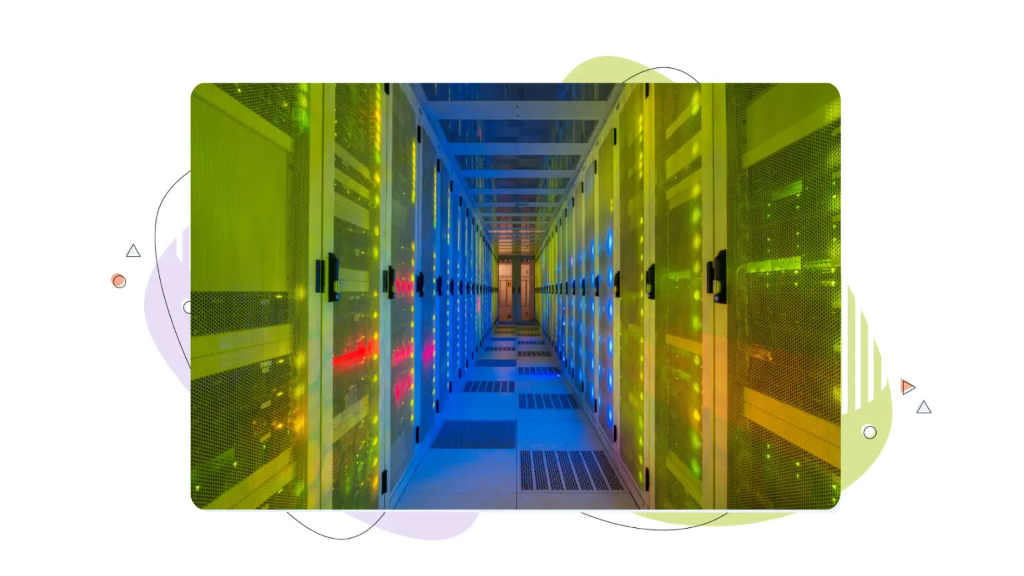
- Secure data centers with physical access controls and redundant infrastructure.
- Account security tools, including two-factor authentication for your control panel.
- 24/7 expert support from a team that can help you navigate security issues quickly.
Each recommendation in this guide maps back to something HostPapa supports. HTTPS? Covered by free SSL. Malware protection? SiteLock handles it. Backup and recovery? Automated backups run on a schedule. Access control? Two-factor authentication is available for your account.
HostPapa operates data centers across North America and Europe, supporting businesses that need to meet data residency requirements for GDPR and other regional regulations.
Checklist: 10 Actions to Improve Company Data Security This Month
You’ve covered a lot of ground. Here’s your small business data security checklist to put it all into action. Print it, bookmark it, and share it with your team.
Accounts & Access
- Enable multi-factor authentication on all accounts (hosting, email, CMS, billing).
- Audit user access and remove accounts that are no longer needed.
- Deploy a password manager and require unique passwords for all business systems.
Networks & Devices
- Change the default router admin credentials and enable the built-in firewall.
- Set up a guest Wi-Fi network separate from your main business network.
- Enable full-disk encryption on all business laptops and desktops.
Backups & Recovery
- Set up automated daily backups with off-site or cloud storage.
- Test a backup restore to confirm it works before you actually need it.
- Write a one-page incident response outline: who to call, and in what order, AI & Vendors.
- Audit your active SaaS tools and revoke access to anything you’re no longer using.
- Create a simple policy for staff on what data may not be pasted into AI tools.
Working through this list will meaningfully reduce your risk exposure. You don’t need to do everything at once. Start with the items that take under 30 minutes, like enabling MFA and testing your backups, and build momentum from there.
HostPapa’s Hosting Plans include several of these protections out of the box. Explore HostPapa’s security tools to see what’s already in place for your site, and where you can add an extra layer of confidence.
FREQUENTLY ASKED QUESTIONS
What Is Company Data Security?
Company data security protects business information, customer records, payment details, and employee files from loss, theft, or misuse. It ensures data stays confidential, accurate, and accessible using the CIA Triad framework.
Why Are Small Businesses Targeted by Cyberattacks?
Small businesses often have limited IT resources, making them easier targets. A breach can cost hundreds of thousands in recovery, legal fees, and lost revenue, plus lasting reputational damage that drives customers away.
How Should Employees Use AI Tools Safely With Company Data?
Staff should never paste confidential data into public AI tools. Only use approved platforms, review AI-Generated content before publishing, and check each tool’s terms of service to confirm inputs aren’t used for model training.
What Is the 3-2-1 Backup Rule for Business Data?
Keep three copies of your data on two different storage types, with one copy offsite or in the cloud. Run automated daily backups with 30-day retention, and test a restore quarterly to confirm your data is actually recoverable.
Which Data Privacy Regulations Apply to Small Businesses?
GDPR applies if you serve EU customers, CCPA applies if you sell to California residents, and PCI DSS applies if you accept card payments. Non-compliance after a breach can result in heavy fines and mandatory audits.
References
- Hills, C. 2026. Data Center Security: A Blueprint For Resilient Infrastructure. First Edition. Independently published.
- TechEd Publishers. 2024. A Non-Techie Beginners’ Guide to Cybersecurity and Privacy: How Anyone Can Secure Their Digital Life, Protect Data, and Prevent Cyber Attacks in 5 Easy Steps. First Edition. Fayetteville, Georgia: TechEd Publishers.