You’ve got about seven seconds. That’s roughly how long it takes a visitor to decide whether your website feels trustworthy or whether they’re hitting the back button and Googling your competitor. Seven seconds. No pressure.
You could have the best product in your industry, rock-solid customer service, and a team that genuinely cares, but if your website doesn’t signal all of that immediately, visitors won’t stick around long enough to find out. Trust isn’t just earned through great experiences over time. Online, it has to be communicated instantly, visually, and convincingly.
In this article, we’ll go over everything you need to know about how to build trust on a website, including why website trust signals matter, which ones you need to add to your website, and how to audit your site to make sure you’re on the right track.
- What Are Trust Signals?
- Why Trust Signals Matter
- The Website Trust Signals Every Site Needs
- Trust Signals & AI Search
- How to Audit Your Website’s Trust Signals
- Build a Trustworthy Website with HostPapa

What Are Trust Signals?
Trust signals are the visual and content cues on a website that tell visitors that your business is legitimate, secure, and worth their time and money.
They fall into four broad buckets:
- Security: Technical safeguards that protect users.
- Social proof: Evidence that other real people trust you.
- Transparency: Showing who you are and how you operate.
- Design and performance: Looking and behaving like a professional operation.
Every strong website has all four working together, and the sites that struggle to convert visitors into customers are almost always missing at least one.

Why Trust Signals Matter
Establishing trust online is more important than ever before, with the continued rise of online scams and misinformation. According to a study from the Pew Research Center, 73% of US adults have experienced some kind of online scam or attack. People are more conscious about where they go online, so it’s up to you to guarantee your customers know your business can be trusted.
Here are just a few reasons why trust signals are so vital to business success.
They Turn First Impressions Into Conversions
When a visitor lands on your homepage, their brain is running a rapid unconscious checklist: Is this site secure? Does it look professional? Have other people used this? Can I find a human being if something goes wrong?
Trust signals answer all of those questions before the visitor has consciously asked them. A padlock in the browser bar, a row of five-star reviews, a clear phone number in the header, each marker chips away at hesitation.
And in eCommerce especially, that hesitation is the enemy. According to the Baymard Institute, the average cart abandonment rate across industries is nearly 70%, and a significant share of that abandonment happens because shoppers don’t trust a site enough to enter their payment details.

They Prove You’re a Real, Legitimate Business
There’s an enormous amount of noise on the internet. Scam sites, fly-by-night operations, and abandoned businesses with outdated pages all create a backdrop of skepticism that your legitimate business has to overcome. Trust signals for websites are your proof of legitimacy.
An About page with real people. Professional web domains and a business email that matches. A physical address, even if it’s just a city and state. Active social media profiles with recent posts. These trust signals are the difference between a visitor thinking “this seems legit” and “I’m not giving these people my credit card number.”
Trust for a small business website is especially important to establish because smaller brands don’t have the built-in credibility of household names. You have to work for it, and the good news is that doing so isn’t particularly expensive or complicated. It mostly just requires being intentional.
They Shape SEO & AI Search Visibility
If you’ve spent any time in the SEO world recently, you’ve probably heard the acronym E-E-A-T:
- Experience
- Expertise.
- Authoritativeness.
- Trustworthiness.
It’s Google’s framework for evaluating the quality and credibility of web content, and it’s become increasingly central to how pages rank, particularly for content related to health, finance, legal information, or major purchasing decisions. Almost everything we’ll cover in this article is an E-E-A-T signal in disguise.
And it’s not just about traditional search anymore. AI search tools like ChatGPT, Perplexity, and Google’s AI Overviews are increasingly being used as the first stop for product and service research. These systems pull from the same signals: credible, well-attributed, consistently named brands get recommended. Inconsistent or thin online presences get ignored. The SEO trust signals you build today are the AI recommendation signals of tomorrow.
The Website Trust Signals Every Site Needs
Let’s go through some key trust signal examples that will give your website the credibility it deserves.

1. An SSL Certificate & HTTPS
Let’s start with the most foundational trust signal there is. SSL (Secure Sockets Layer) is the technology that encrypts the connection between your visitor’s browser and your web server, and HTTPS (Hypertext Transfer Protocol Secure) is the visible result of having it in place. That little padlock icon in the browser address bar? That’s SSL.
Without it, browsers like Chrome display a “Not Secure” warning next to your URL. That warning alone is enough to send a sizeable percentage of visitors packing. It’s also a confirmed Google ranking factor, meaning sites without HTTPS are actively disadvantaged in search.
Real example: Every major eCommerce site, Amazon, Shopify stores, you name it, runs on HTTPS as a baseline. But it matters just as much for informational sites and small business pages. If you’re on Google Chrome right now, check the address bar of any reputable brand. You’ll see the padlock every single time.
Do it today: If your site doesn’t have SSL, your hosting provider may include it free. HostPapa, for example, includes a Free SSL Certificate with our hosting plans, so if you’re already hosted with us, enabling it may be as simple as flipping a switch in your control panel.

2. Professional, Mobile-Friendly Design
Design is trust. That statement might feel superficial, but the research backs it up: studies on web credibility consistently show that users judge a site’s trustworthiness based heavily on visual design within the first fraction of a second. A dated layout, inconsistent fonts, walls of text, or a site that falls apart on a phone screen, these all send a quiet but powerful message: “this organization isn’t paying attention.”
Mobile matters more than ever here. Over half of all web traffic now comes from mobile devices, which means a site that isn’t properly responsive doesn’t just look bad; it actively functions badly for the majority of your potential visitors.
Real example: Basecamp’s website is a great case study in clean, intentional design building trust. It’s not flashy. It uses plenty of open space, a consistent typographic hierarchy, and responds beautifully on mobile.
Do it today: Pull up your website on your phone right now, not in a responsive preview tool, but on an actual device. Navigate through a few pages. Is the text readable without zooming? Do buttons work easily? Does the layout hold together? If the answer to any of those is “no,” prioritize a responsive design fix above almost everything else on this list.

3. Customer Reviews & Testimonials
Social proof is one of the most powerful forces in human psychology, and customer reviews are its most direct expression online. When a potential customer sees that other real people have bought from you, used your service, and had a positive experience, the psychological burden of being “the first one to take a risk” disappears.
According to a 2023 survey by BrightLocal, 98% of consumers read online reviews for local businesses, and 46% say positive reviews make them more likely to use a local business.
But there’s a nuance worth noting: reviews need to feel real. Generic five-star ratings with no text do more harm than good because they trigger exactly the kind of skepticism you’re trying to defuse.
Real example: Trustpilot profiles for companies like Canva show thousands of verified reviews, complete with response rates from the company. This combination of volume, variety, and responsiveness signals not just quality but genuine engagement.
Do it today: If you’re not actively asking customers for reviews, start today. Set up a simple post-purchase email that goes out three to five days after delivery or service completion, with a direct link to your Google Business Profile, Trustpilot page, or industry-specific review platform.

4. Social Proof Beyond Reviews (Logos, Numbers, Case Studies)
Reviews are person-to-person social proof. But there’s a whole other tier of trust-building that operates at the brand-to-brand level: client logos, usage numbers, press mentions, and case studies.
“Trusted by teams at Google, Slack, and Dropbox” hits differently than “our customers love us.” Logos from recognizable companies lend their credibility to yours by association. Usage statistics use scale to imply reliability. Case studies go even deeper, showing not just that someone used your product but what happened as a result.
Real example: HubSpot’s homepage is a masterclass in multi-layered social proof. They show customer count numbers, recognizable company logos, and then click through to detailed case studies with real named customers, real metrics, and real outcomes. Each layer serves a different psychological trigger.
Do it today: Look at your current client list and ask: which of these would give you permission to display their logo? A single email to five existing clients asking for logo permission takes twenty minutes and could result in a “trusted by” section that substantially elevates your site’s credibility for every future visitor.

5. A Real “About” Page with Real People
The About page is the most underestimated page on most websites. Many businesses treat it as an afterthought, a brief paragraph written in corporate-speak that’s been untouched since the site launched. But done well, an About page is one of the highest-impact trust signals you can have, because it answers the most fundamental question a wary visitor has: who am I actually dealing with?
Real names, real faces, and real stories make businesses feel human. People trust people far more readily than they trust anonymous entities.
Real example: Patagonia’s About page is exceptional. It includes the founder’s story, the company’s environmental mission with specific commitments and metrics, and enough transparency in its business practices to make you feel like you’re dealing with a company that has nothing to hide.
Do it today: Add at least one team photo and a founder or leadership bio to your About page. Include first and last names, titles, and a sentence or two about their background. If you’re a solo operator, write a brief personal story about why you started the business. Specificity and personality always outperform polished corporate language.

6. Clear, Visible Contact Information
Legitimate businesses are reachable. They want to hear from customers. They don’t hide behind contact forms as their only option.
A phone number prominently in the header or footer, an email address that’s clearly monitored, a physical address, and a contact page that actually has information on it rather than just a form, these are basic signals that say “we’re a real organization and we stand behind what we do.”
Real example: Zappos has built an entire brand identity around customer service accessibility. Their phone number is front and center, staffed 24/7, and the company has become famous for it. Not every business needs to go that far, but the principle of visible, accessible contact information is universal.
Do it today: Search for your own business as if you were a skeptical stranger. Can you find a working phone number within thirty seconds? Is there an email address (not just a form)? Does your Google Business Profile match what’s on your site? If any of those answers are “no,” fix it before anything else.
7. Trust Badges & Security Seals (Especially at Checkout)
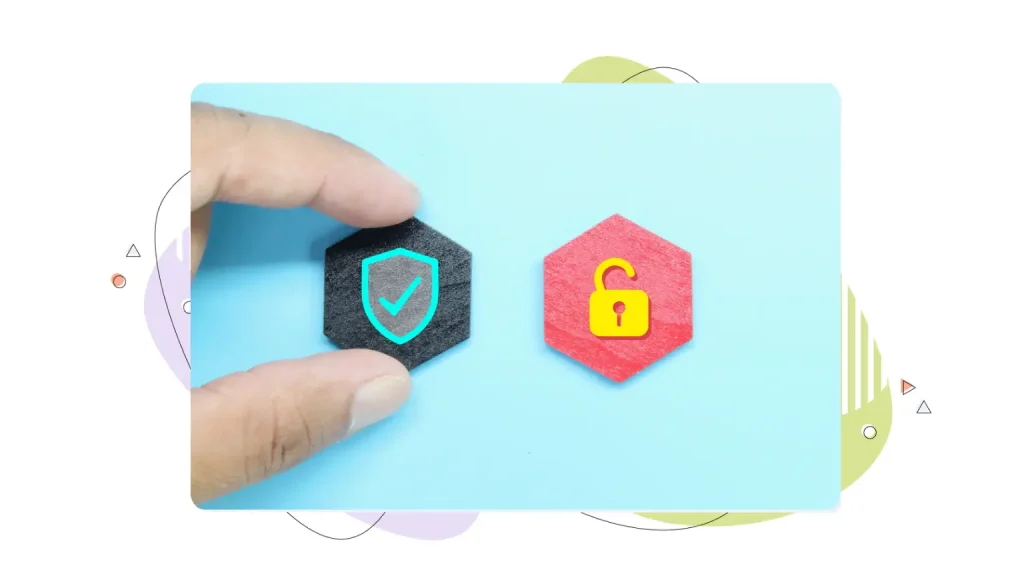
Trust badges are the small visual icons that indicate your site is secure, verified, or certified, things like SSL padlock icons, payment processor logos, BBB accreditation seals, and security provider badges. They work because they invoke third-party authority: you’re not just saying you’re safe, you’re showing that someone credible has verified it.
They’re most critical at the point of conversion, particularly the checkout page for eCommerce sites. That’s the moment when a visitor is closest to becoming a customer and when their guard is highest. A well-placed trust badge at that exact moment can be the difference between a completed purchase and an abandoned cart.
Real example: Shopify’s checkout pages display accepted payment logos (Visa, Mastercard, PayPal), SSL indicators, and in many cases, a “Secure Checkout” badge. These aren’t decorative; they’re directly addressing the anxiety a first-time buyer feels at the moment they’re about to share their card number.
Do it today: If you have a checkout or payment page, audit it right now. Make sure you’re displaying the logos for accepted payment methods, an SSL indicator, and your return/refund policy in a clearly visible location. If you use a payment processor like Stripe or PayPal, their logos themselves serve as trust badges; don’t hide them.

8. Money-Back Guarantees & Transparent Policies
Risk is the enemy of conversion. Every time a visitor hesitates before making a purchase, they’re mentally calculating: “What happens if this goes wrong?” A money-back guarantee directly addresses that fear. A clear, fair returns policy does the same thing. Transparent shipping timelines, privacy policies, and terms of service that don’t feel like they’re hiding something, all of these reduce the perceived risk of doing business with you.
The psychology here is worth understanding. A 30-day money-back guarantee doesn’t just benefit the few customers who use it. It signals confidence that you believe in your product enough to offer the guarantee, which makes customers believe in it too.
Real example: Warby Parker’s “Home Try-On” program is perhaps the most famous risk-reversal strategy in direct-to-consumer retail. By letting customers try five frames at home for free before buying, they eliminate the biggest objection to buying glasses online. The policy is prominently featured across their site because they know it drives sales.
Do it today: Write a plain-language summary of your return or refund policy and put it somewhere visible. Keep it short and honest.
9. A Professional Domain & Branded Email
Your domain name and email address are among the first credibility signals anyone evaluates, often before they’ve even clicked through to your site. A branded domain (yourbusiness.com) says you’re serious. A branded email address (name@yourbusiness.com) signals professionalism. A Gmail or Yahoo address for a business email says you haven’t quite committed yet.
This is one of the most cost-effective and high-impact trust upgrades available to small businesses. Domains are inexpensive. Business email hosting adds little to monthly costs. And the combined effect on how customers, partners, and even potential investors perceive your operation is substantial.
Real example: Compare receiving a quote from “info@greenleaflandscaping.com” versus “greenleaf_landscaping@gmail.com.” Same company, same service, but one feels like a legitimate business, and one feels like a side hustle.
Do it today: If you don’t have a branded domain, HostPapa offers domain registration alongside hosting, making it easy to set both up together. And if you have the domain but are still using a Gmail address for business correspondence, switch to a professional business email. It’s a five-minute perception upgrade.

10. Fast Load Times & Reliable Uptime
Here’s one that often gets overlooked because it feels more “technical” than “trust-related,” but load time and uptime are deeply connected to how users perceive your credibility. A slow website signals disorganization. A website that’s intermittently down signals unreliability. Neither is the first impression you want to make.
Google’s research has shown that as page load time increases from one to ten seconds, the probability of a mobile user bouncing increases by 123%. That’s not just an SEO problem; it’s a trust problem.
Uptime matters for the same reason: if a potential customer tries to visit your site and gets a 404 or an error page, that’s a trust signal in reverse. Consistent 99.9% uptime isn’t just a technical benchmark; it’s a business reliability statement.
Real example: Any quick test on tools like GTmetrix or Google PageSpeed Insights will show you how major brands optimize relentlessly for load time. Apple’s product pages, despite being image-heavy, are engineered to load quickly because they understand that every extra second costs them customers.
Do it today: Run your site through Google PageSpeed Insights right now. Look at your scores for both mobile and desktop. The tool gives specific, actionable recommendations. If you’re hosting on a platform that isn’t delivering reliable uptime, consider a move to a provider like HostPapa that guarantees high-performance hosting with consistent availability.
The Quieter Signals That Still Count
Not every trust signal needs its own dedicated section, but several deserve a mention because they collectively matter more than most people realize.
- A clearly linked Privacy Policy and Terms of Service page tell visitors you take data protection seriously, and they’re increasingly expected as standard.
- Active social media profiles updated within the last month signal that your business is alive and paying attention.
- Industry awards, certifications, and professional memberships, from a REALTOR® seal to a Better Business Bureau accreditation to an industry association badge, all serve as third-party validation that goes beyond what you say about yourself.

Trust Signals for eCommerce Sites
eCommerce sites face a higher trust bar than purely informational websites, because the stakes for the visitor are higher: they’re handing over payment information. eCommerce trust signals need to be especially dense and deliberate around the checkout experience.
- Beyond the fundamentals already covered, ecommerce sites should specifically prioritize:
- Secure payment icons displayed at checkout (Visa, Mastercard, PayPal, Apple Pay).
- A clearly stated and easy-to-find shipping policy that answers “when will I get it?”
- A no-friction return policy that’s communicated before purchase rather than hidden in fine print.
- Product-level reviews, not just site-wide testimonials, but reviews on individual product pages so customers can validate the specific thing they’re buying.
Checkout abandonment is an expensive problem, and the cure is almost always trust. Ask yourself: if I were buying from this site for the first time, what questions would I have right before entering my credit card details? Then make sure your checkout page answers every single one of them.

Trust Signals & AI Search
Here’s a dimension of website credibility that most small business owners haven’t fully wrapped their heads around yet: the same signals that build trust with human visitors are now increasingly being used by AI systems to decide which businesses to recommend.
When someone asks ChatGPT, Perplexity, or Google’s AI Overviews for a recommendation, those systems don’t pull recommendations from thin air. They’re synthesizing information from the web, and they’re weighing credibility signals as part of that synthesis.
Businesses with consistent, well-attributed online presences, named authors, legitimate reviews on third-party platforms, and authoritative backlinks are far more likely to appear in AI-generated recommendations than businesses that exist only as a sparse website with no external footprint.
Trust Is a Competitive Advantage
As AI search becomes more prevalent, having a trustworthy online presence will give you a leg-up on your competitors. Your NAP consistency (Name, Address, Phone) across every directory, review site, social profile, and listing matters. Consistent authorship across blog posts and articles matters. Your Wikipedia page (if you’re large enough to have one), your LinkedIn presence, your Crunchbase profile, all of these feed into the knowledge graph that AI systems use to understand your brand.
This isn’t a reason to panic or start gaming any particular system. It’s a reason to focus on the fundamentals: be real, be consistent, be transparent, and make sure that whatever’s true about your business is represented accurately and uniformly across the web.

How to Audit Your Website’s Trust Signals
Run through this checklist on your site today. It takes about thirty minutes and will tell you exactly where you stand.
Security
- Site is served over HTTPS with a valid SSL certificate.
- No “Not Secure” warning in any major browser.
- Website security measures are in place (malware scanning, up-to-date CMS).
Design & Performance
- Site loads in under 3 seconds on mobile (test with PageSpeed Insights).
- Design is clean, consistent, and professional across all pages.
- Site is fully responsive and usable on mobile devices.
- No broken links, missing images, or 404 errors.
Social Proof
- Customer reviews or testimonials are visible on the homepage or product pages.
- Reviews link out to third-party platform (Google, Trustpilot, etc.).
- Client logos, usage numbers, or case studies are present.
- Social media profiles are linked and have been updated recently.
Transparency
- About page exists with real names, photos, and a genuine story.
- Contact page has phone number, email, and/or physical address.
- Business email uses branded domain (not Gmail/Yahoo).
- Privacy Policy and Terms of Service pages exist and are linked in footer.
Credibility Markers
- Professional branded domain is active and matches business name.
- NAP (name, address, phone) is consistent across Google Business Profile, Yelp, and website.
- Any industry certifications or awards are displayed.
- Blog or content section has named authors with bios.
eCommerce Specifics
- Checkout page displays accepted payment method logos.
- SSL indicator is visible at checkout.
- Shipping policy is clearly stated before purchase.
- Return/refund policy is easy to find and written in plain language.
- Product-level reviews exist on individual product pages.
Build a Trustworthy Website with HostPapa
Building website credibility doesn’t require a massive overhaul; it requires attention to the right details. And if you’re starting from scratch or looking to level up, having the right foundation in place makes everything else easier.
HostPapa brings together the core technical trust signals in one place: every hosting plan includes a Free SSL certificate so your site runs on HTTPS from day one, reliable hosting infrastructure with strong uptime guarantees, straightforward and affordable domain registration, and professional business email so your correspondence comes from name@yourdomain.com rather than a free webmail account.
The fundamentals matter. And the easier they are to get right, the more energy you can spend on the trust signals that require a bit more creativity. When done right, website trust signals can turn even the most skeptical visitors into confident customers.
FREQUENTLY ASKED QUESTIONS
What is an example of a trust signal?
A trust signal is anything on your website that communicates legitimacy and safety to a visitor. Examples include an SSL certificate (the padlock in the browser bar), customer reviews and star ratings, a detailed About page with team photos, accepted payment logos at checkout, and a money-back guarantee. Together, these signals reduce a visitor’s hesitation and increase their confidence in doing business with you.
Do trust signals help SEO?
Yes, significantly. Many trust signals directly feed Google’s E-E-A-T framework (Experience, Expertise, Authoritativeness, Trustworthiness), which influences search rankings, particularly for competitive or sensitive topics. HTTPS is a confirmed ranking factor. Named authorship, legitimate backlinks, consistent business information, and positive reviews all contribute to how Google evaluates your site’s credibility and authority in search results.
What are the most important trust signals for a small business website?
For small business website trust, the highest-impact signals are: a professional branded domain and business email, an SSL certificate for HTTPS, a real About page with named people, visible contact information, and customer reviews on a third-party platform. These five address the most common reasons a first-time visitor will hesitate.
How many trust signals does a website need?
There’s no magic number, but the goal is to cover all four categories: security, social proof, transparency, and design and performance. A site with strong security but no social proof will still lose customers. Think of trust signals as layered; each one adds a little more confidence.