So you’ve launched your website. People are landing on your pages, clicking around, maybe even adding things to their cart. And then, nothing. They leave. The sale doesn’t happen. The form doesn’t get submitted. The button doesn’t get clicked.
If this sounds familiar, you’re not alone. Most websites convert somewhere between 2% and 4% of their visitors. That means for every 100 people who show up, 96 or more walk away without doing what you hoped they’d do. That’s a lot of missed opportunity sitting right there in your existing traffic.
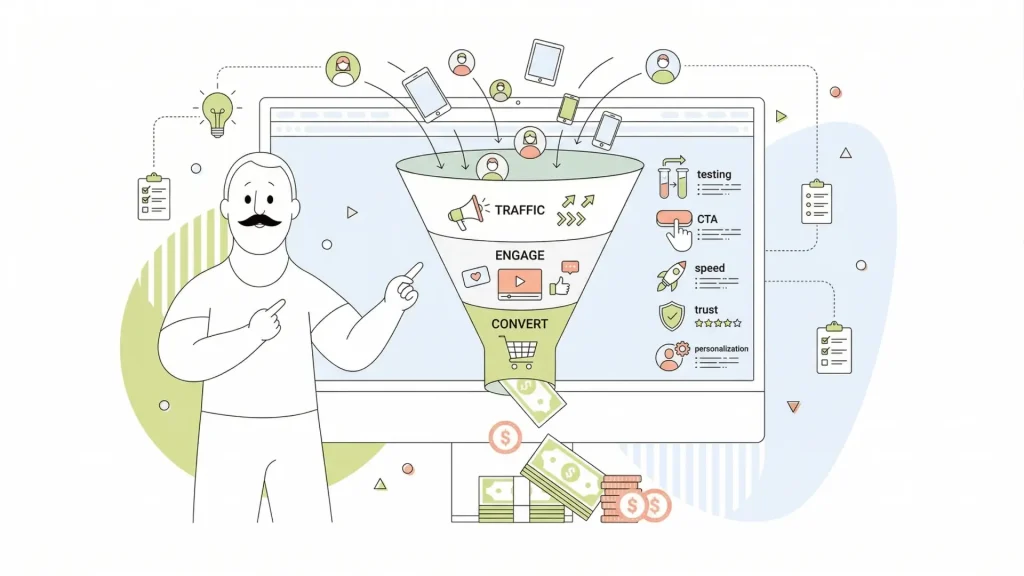
The good news? You don’t need more website traffic to make more money. You need to do more with the traffic you already have. That’s exactly what conversion rate optimization (CRO) is all about. It’s one of the highest-leverage activities in all of digital marketing, and yet most businesses either ignore it entirely or dabble in it without a real strategy.
In this article, we’ll cover 26 proven conversion rate optimization strategies to help you improve your website’s conversion rate, ranging from quick wins you can implement this afternoon to advanced tactics that will keep your optimization efforts compounding for years.
- Why Conversion Rate Optimization Matters for Your Business
- Industry Conversion Rate Benchmarks (Know Your Baseline)
- The CRO Foundation: Setting Goals & Establishing Baselines
- How to Understand Your Website’s Visitors
- Technical Optimization: The Speed & Performance Factor
- Design & User Experience: Creating an Intuitive Journey
- Crafting a Compelling Value Proposition & Headlines
- Call-to-Action Optimization: The Direct Path to Conversion
- Building Trust with Social Proof & Credibility Signals
- Optimizing Forms & Checkout for Maximum Completion
- Advanced Personalization & Behavioural Tactics
- eCommerce-Specific Conversion Optimization Tactics
- How Website Hosting & Performance Impact Your Conversion Rate
- Testing & Measurement: From Data to Decisions
- Quick-Win Conversion Rate Improvements You Can Implement Today
- Top 6 Common CRO Mistakes to Avoid
- Tools to Support Your CRO Efforts
- Creating Your CRO Action Plan: Next Steps

Why Conversion Rate Optimization Matters for Your Business
Before we dive into the how, let’s talk about the why, because once you understand the math behind conversion rate optimization, you’ll wonder why you weren’t prioritizing it all along.
Conversion Rate Explained
Conversion rate is one of those terms that you hear every day but might not know exactly what it means. A conversion rate is the percentage of users who take a desired action (such as making a purchase, signing up for a newsletter, or clicking a button) out of the total number of visitors to a website or app.
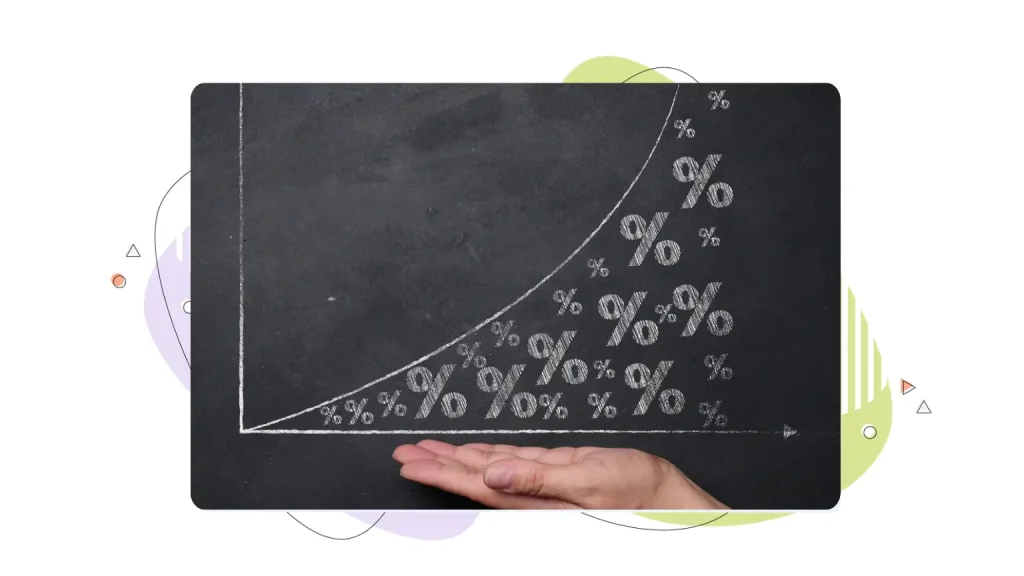
Here’s a simple example. Say your site gets 50,000 visitors a month, and your average order value is $75. At a 2% conversion rate, you’re making $75,000 a month. Bump that conversion rate to just 3% (a single percentage point), and you’re now pulling in $112,500. That’s $37,500 in additional monthly revenue without spending a single extra dollar on ads or SEO.
That’s the magic of conversion rate optimization. It multiplies the value of every marketing dollar you’re already spending by improving what you already have, rather than buying more incoming traffic.
The Compounding Power of Conversion Rate Optimization CRO
Research shows that websites in the top 25% of their industries convert at 5.31% or higher, while the industry average sits around 2.35%. The top 10% of sites? They’re converting at 11.45% or better. That gap isn’t luck; it’s the result of deliberate, sustained conversion-optimization work.
There’s also a sustainability argument here. Many businesses fall into what marketers call the “leaky bucket” problem: they pour money into ads and SEO to drive more website visitors, but because their site isn’t optimized to convert those visitors, much of that spend evaporates. Fixing your conversion funnel first means you stop leaking revenue before you pour more in. Lower customer acquisition costs, higher returns on ad spend, and more revenue from the same web traffic, that’s the CRO promise.
Industry Conversion Rate Benchmarks (Know Your Baseline)
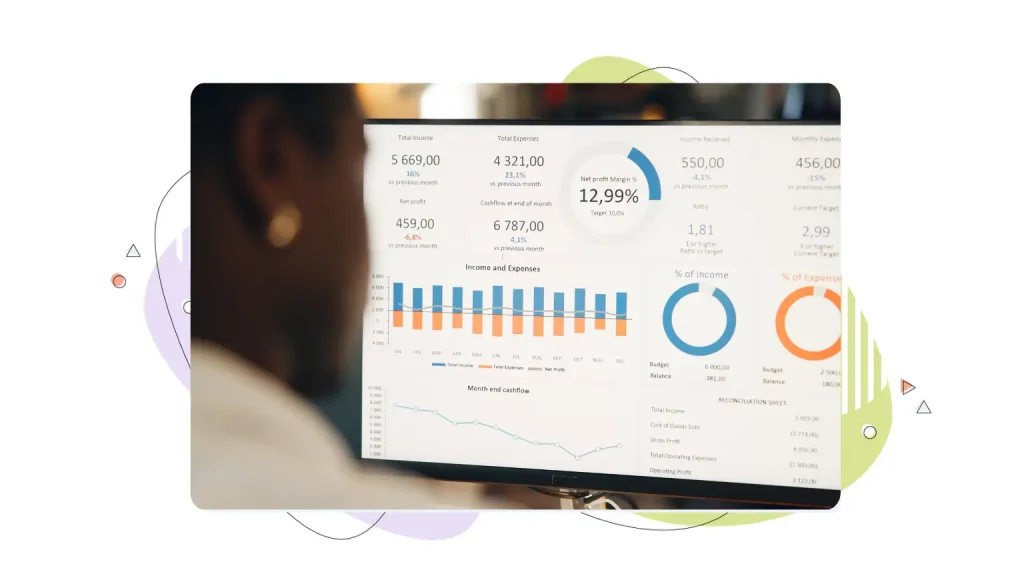
One of the most common questions people ask when they start thinking about the conversion rate optimization process is: “What’s a good conversion rate?” And the honest answer is: it depends. A lot. Industry, business model, traffic source, and what you’re actually asking potential customers to do all factor in.
That said, benchmarks give you a useful starting point. Here is a breakdown of some useful benchmark data by industry.
- eCommerce: The average eCommerce conversion rate globally sits around 3.68% according to Stripe data, with top performers hitting 5% or above and truly elite stores pushing past 8%. If you’re running an online store and you’re below 2%, you’ve got significant room to grow and a significant opportunity.
- SaaS businesses: Visitor-to-lead conversion rates average around 1.8%, while free account signups typically fall between 2% and 5%. Top-performing SaaS companies, particularly those with strong product-led growth models, often exceed 10% on specific high-intent pages.
- Lead generation sites: These sites tend to vary the most. Healthcare and wellness landing pages, for instance, often average between 5.1% and 8.2%, partly because the emotional stakes are higher and visitors tend to be more motivated. B2B lead generation pages, on the other hand, often convert at lower rates but with much higher customer lifetime value per lead.
Here’s the key point, though: benchmarks are reference points, not targets. Before you compare yourself to an industry average, establish your own baseline. What’s your current conversion rate? What are your bounce rates? Where in the conversion funnel are people dropping off? Your numbers are your starting point, and your own previous performance is your most meaningful competition.
The CRO Foundation: Setting Goals & Establishing Baselines
Jumping straight into testing button colours and changing page elements without a plan is a great way to waste a lot of time and get nowhere. The conversion rate optimization process works best when it starts with a solid foundation, including clear goals, defined metrics, and an honest look at where your site currently stands.
Strategy 1: Set Realistic Goals
Start with goal-setting using the SMART framework. Your conversion goals should be:
- Specific: Target an exact metric, such as “increase product page conversion rate”.
- Measurable: Digital interactions are trackable through Google Analytics or your analytics platform.
- Achievable: Realistic for your current traffic and infrastructure.
- Relevant: Tied to actual business outcomes like revenue or leads generated.
- Time-bound: Anchored to a deadline, like “within 90 days”.
Vague goals like “improve conversions” don’t drive action. Specific ones do.
Strategy 2: Make An Honest Assessment of Where Your Website’s Conversion Rate Stands
After you lay out your goals, run a quick CRO audit. Walk through your site with fresh eyes, or better yet, recruit someone who’s never seen it before, and look for friction points. Review your landing pages, product pages, checkout flow, and main navigation. Where do things feel confusing? Where do you have to stop and think? Do the calls to action feel buried or unclear? These friction points are your first opportunities for optimization.
Strategy 3: Establish a Conversion Rate Optimization CRO Baseline
Finally, pull your baseline metrics from Google Analytics. You want to know your overall conversion rate, your bounce rate on key pages, average session duration, and if you’re in eCommerce, your cart abandonment rate. These numbers aren’t just diagnostic tools; they’re your scorecard. Every CRO effort you make should move at least one of these metrics, and documenting your baseline before you start means you’ll actually know whether your changes worked.

How to Understand Your Website’s Visitors
Here’s something that separates good CRO from great CRO: the best conversion rate optimization efforts aren’t based on guesses about what visitors want; they’re based on actual evidence of what visitors do. Understanding your target audience deeply is one of the best investments you can make before you change a single pixel on your site. In-depth user testing can provide invaluable information that will make your website more convenient, more useful, and more profitable.
User Research Explained
There are two flavors of visitor research: quantitative and qualitative.
- Quantitative research: Tells you what is happening. Tools like Microsoft Clarity generate heatmaps that show exactly where users click, how far they scroll, and where their attention clusters on any given page. Google Analytics adds another layer by showing you traffic sources, user journeys, drop-off rates, and conversion-funnel analysis across different segments. This is real user behaviour, captured and visualized.
- Qualitative research: Tells you the why behind those behaviours. Customer surveys, one-on-one user interviews, and even mining reviews, social media comments, or support emails can reveal the motivations, hesitations, and pain points your visitors experience. Why did they almost buy but didn’t? What question wasn’t answered? What made them feel uncertain? This kind of customer feedback is gold for CRO because it gives you the language and insight to actually fix things.
How Users Differ
Segmentation adds a third dimension to the user research spectrum. Not all site visitors are the same. Mobile users behave differently from desktop users. Visitors arriving from paid search have a different intent than those from organic social. International visitors may have different expectations entirely.
Segment your behavioural data, and you’ll often find that different audiences need different messaging, different page design, or a completely different conversion path. Knowing who you’re talking to makes everything else more effective.

Technical Optimization: The Speed & Performance Factor
Let’s talk about something that doesn’t get nearly enough attention in most CRO conversations: the unsexy, technical stuff. Because here’s the hard truth: you could have the most beautifully designed landing page with the most compelling copy in your industry, and if your site is slow, it doesn’t matter. Slow load times kill conversions before visitors even see your work.
The data on page speed is unambiguous. A one-second delay in page load time leads to roughly a 7% drop in conversions. Sites that load in under three seconds see higher engagement than slower sites. And with Google’s Core Web Vitals now factoring into search engine rankings, page speed isn’t just a CRO issue; it’s an SEO issue, too. This single technical factor touches nearly every part of your conversion performance.
Strategy 4: Focus on Mobile to Boost Conversions
Website speed is even more apparent for mobile users. More than 60% of web traffic today comes from mobile devices, which means the majority of your potential customers are experiencing your site on a small screen over a cellular connection. If your mobile experience is an afterthought, you’re leaving a massive slice of revenue on the table. Mobile-first design isn’t a trend anymore; it’s the baseline.

Strategy 5: Technical Fixes You Can Implement Right Away
Technical fixes that can help improve your average conversion rate are well-understood and actionable. Tools like Google PageSpeed Insights and GTmetrix will audit your site and give you a prioritized list of issues to address. Common wins include:
- Compressing images: This is often the single biggest contributor to slow load times.
- Implementing lazy loading: Images only load when they’re needed.
- Minifying JavaScript: Reduces file size, leading to faster download times, improved page load speed, and better user experience and SEO.
- Leveraging a CDN: This will deliver content faster to users in different locations.
- Enabling browser caching: Reduces website load times by storing static files (images, CSS, JS) locally in a user’s browser.
- Fixing broken links: These create dead ends in your user journey.
These changes won’t win any design awards, but they consistently move conversion numbers.
Design & User Experience: Creating an Intuitive Journey
Once your technical foundation is solid, design and user experience become your primary focus. And the most important thing to understand about design for conversion is that it’s not about looking pretty, it’s about making it effortless for visitors to do what you want them to do.
Strategy 6: User Behaviour Should Guide Design
Eye-tracking research has given us two incredibly useful patterns for understanding how people read web pages.
- The F-pattern describes how users scan content-heavy pages: they read across the top, then move down slightly and scan again, then continue scanning down the left side in a vertical movement.
- The Z-pattern describes how users navigate hero-focused pages with minimal text: their eyes move across the top, then diagonally down, then across the bottom.
Understanding these patterns means you can place your most critical elements, headlines, calls to action, and value propositions exactly where eyes naturally travel.

Strategy 7: Don’t Neglect Navigation
Navigation deserves more attention than most businesses give it. Simpler navigation converts better. Limit your main menu to five to seven items, use breadcrumbs so visitors always know where they are, and add clear search functionality. Every additional link in your nav is a potential escape route for someone who was heading toward a conversion. Keep the path clear.
Strategy 8: Whitespace Isn’t A Bad Thing
Whitespace is one of those design elements that non-designers often underestimate, but it’s a powerful tool for directing attention. Pages crammed with content create cognitive load, the mental effort required to process information.
Generous whitespace gives key elements room to breathe, reduces visual noise, and makes your calls to action stand out. And speaking of directing attention, directional cues, whether that’s an arrow, an image of a person looking toward your CTA, or a subtle visual flow, are all vital parts of the customer journey and can meaningfully guide visitors toward the action you want them to take.
Crafting a Compelling Value Proposition & Headlines
Your value proposition is the answer to the question every visitor asks the moment they land on your page: “Why should I care?” You have a few seconds to answer that question before they decide whether to stay or bounce. That means your headline and supporting copy need to do a lot of heavy lifting, very fast.
Strategy 9: Convert Visitors With a Strong Value Proposition
A strong value proposition communicates three things clearly:
- The problem you are solving.
- How you plan to solve the problem in a way that’s different from alternatives.
- The specific benefit the visitor will experience as a result.
Notice that none of those things are about you; they’re all about the visitor. The most common value proposition mistake is leading with company history, awards, or generic claims like “industry-leading” or “best-in-class.” Visitors don’t care. They want to know what’s in it for them.
Strategy 10: Headline Testing
Headline testing is one of the highest-ROI actionable strategies in all of CRO. The difference between a benefit-driven headline (“Transform Your Backyard into a Weekend Oasis”) and a feature-focused one (“Learn Landscaping Techniques”) can be dramatic.
Benefit-driven language speaks to the outcome visitors actually want, while feature-focused language just describes a product or service. When in doubt, ask yourself: “Is this headline about what I offer, or about what the visitor gets?” Aim for the latter.
Strategy 11: Message Matching
Message matching is a subtler but equally important concept. When someone clicks an ad that promises “Build Your Business Plan in 15 Minutes,” and they land on a page that talks generically about business planning software, there’s a disconnect. The visitor’s expectation doesn’t match what they see.
Message matching means aligning your landing page copy, specifically the headline and above-fold content, with whatever ad, search query, or referral source brought the visitor there. It reduces dissonance, builds trust, and keeps people moving through your conversion funnel rather than bouncing back to find something else.
Call-to-Action Optimization: The Direct Path to Conversion
Your call to action is the moment of truth. Everything else on the page exists to build up to this one click, tap, or form submission. And yet CTA optimization is another wildly overlooked area in conversion optimization; many sites are still running generic “Submit” buttons and wondering why their conversion rate is disappointing.
Strategy 12: Update Your Button Designs
Let’s start with button design. Your CTA button needs to stand out visually, which means using a colour that contrasts with the rest of your page rather than blending into it. If your site is predominantly blue, an orange or green CTA will draw the eye.
The button should also be large enough to click or tap comfortably, especially on mobile. And the text matters enormously, action-oriented, specific copy consistently outperforms generic alternatives. “Get My Free Guide” beats “Submit.” “Start My Free Trial” beats “Sign Up.” Specificity tells the visitor exactly what happens when they click, reducing hesitation.
Strategy 13: Button Placement
Placement is just as important as design. Your primary CTA should appear above the fold, visible without scrolling, because a meaningful percentage of visitors never scroll past the initial view. But it shouldn’t only appear there. On longer pages, repeat your CTA multiple times: after key benefit statements, after social proof sections, and near the end of the page content. Visitors convert when they’re ready, and they’re not all ready at the same moment. Give them multiple opportunities.
Strategy 14: Create a Sense of Urgency
Urgency is a powerful conversion lever when used ethically. Phrases like “Grab Yours Today” or “Limited Spots Available” tap into our natural tendency to respond to scarcity, and they can genuinely boost conversions. The keyword there is “ethically.” False scarcity, countdown timers that reset, “only 2 left” messages when you have 500 in stock, might convert once, but it destroys the trust that turns first-time buyers into satisfied customers. Authentic urgency works because it’s real.

Building Trust with Social Proof & Credibility Signals
People are tribal by nature. When we’re unsure about a decision, we look to see what other people have done. We check reviews before buying on Amazon. We ask friends for restaurant recommendations. And we look for ratings on apps before downloading them. This tendency doesn’t disappear when someone lands on your website; in fact, it may be even stronger there, because they’re dealing with a brand they might not know yet.
Strategy 15: Tap Into Social Proof
Social proof is a powerful credibility indicator, and there are many forms it can take. Customer testimonials are the most classic, specific, named quotes from real customers that speak to the transformation or outcome your product delivers. When users engage positively with your product, it creates a groundswell of support for your business.
Bland generic customer reviews like “Great product, love it!” do almost nothing. “I increased my email open rates by 34% in the first month using this tool; it completely changed how I approach my campaigns.” does a lot. Include photos, job titles, and company names where possible; the more concrete the testimonial, the more credible it feels.
Strategy 16: The Money Back Guarantee
Money-back guarantees deserve a special mention because they directly address one of the biggest conversion barriers: risk aversion. Many visitors want to buy but hesitate because they’re worried about making the wrong choice.
A clearly displayed, no-questions-asked money-back guarantee removes that risk and makes the decision easier. Trust badges, security seals, payment method icons, SSL certificates, industry certifications, and awards serve a similar function, particularly at checkout and other high-friction points in the conversion funnel. They tell visitors: this site is safe, this company is legitimate, and this transaction will be handled professionally.

Optimizing Forms & Checkout for Maximum Completion
If you’ve ever started filling out a form and then abandoned it halfway through because it asked for your fax number, your company’s annual revenue, and your mother’s maiden name before you could get to the thing you actually wanted, you understand form friction intimately. Forms and checkout processes are where a huge proportion of conversions are lost, and they’re one of the most reliably impactful areas to optimize.
Strategy 17: Remove Unnecessary Fields
The single most effective form optimization is also the simplest: remove fields. Every field you ask visitors to fill in is a small act of effort and a small moment of decision. Do I want this enough to type all this out? The more fields, the more times they answer that question, and the higher the chance they’ll eventually say no.
Audit your forms ruthlessly. If you’re not actively using the data from a particular field, cut it. You can always collect additional information through progressive profiling, gathering data gradually over multiple interactions rather than all at once.
For longer forms that genuinely can’t be shortened, a multi-step design is a powerful alternative. Breaking a long form into three or four shorter screens makes the total task feel more manageable, and once someone has completed the first step, they’re psychologically invested in finishing. Progress indicators like “Step 2 of 3” reinforce this investment and reduce abandonment.

Strategy 18: Checkout Optimization for eCommerce Business Growth
Checkout optimization for eCommerce deserves its own focus. Guest checkout is a big one: research shows that 43% of shoppers prefer to check out as a guest rather than creating an account, and forcing users to register before purchasing is a significant cause of cart abandonment. Show a progress indicator so customers know how many steps remain. Display shipping costs, taxes, and the final total transparently before the payment step.
Surprise fees at checkout are one of the top reasons for cart abandonment. If you offer free shipping, make sure that any pricing stipulations are clearly laid out so that customers don’t feel blindsided if there is a conflict during checkout. Offering multiple payment options (credit cards, digital wallets, PayPal, buy-now-pay-later options) removes friction for visitors whose preferred method might not be available.
Strategy 19: Include Real-Time Validation
Real-time validation is one of those features that dramatically improves user satisfaction without being particularly flashy. When a form field has an error, telling the user immediately (with clear, specific guidance on how to fix it) is far better than letting them submit the whole form and then showing a generic error message. Small things like this add up to a smoother, more trustworthy experience, enhancing user experiences.

Advanced Personalization & Behavioural Tactics
Once you’ve nailed the fundamentals, personalization is where CRO strategy starts to feel like a superpower. The core idea is simple: different visitors have different needs, contexts, and levels of intent, and showing everyone the same experience is an inherently inefficient approach to conversion optimization.
Dynamic content lets you tailor what visitors see based on who they are and where they came from. Geo-targeting can surface location-specific offers or messaging. Returning visitors can see different messaging than first-timers, perhaps a loyalty discount or a “welcome back” reminder of what they were looking at previously. Personalized product recommendations based on browsing history or past purchases are a staple of eCommerce personalization and consistently lift both conversion rates and average order values.
Strategy 20: Use Exit-Intent Popups
Exit-intent popups are controversial; some people love them, some find them annoying, but the data generally shows they work when used thoughtfully. The technology detects when a visitor’s cursor moves toward the browser’s close button and triggers a pop-up with an offer: a discount, a free resource, a low-commitment way to stay connected.
The key is offering something genuinely valuable and using this tactic sparingly. Hitting visitors with popups every visit, or using overly manipulative language, erodes trust. Used responsibly, exit intent can recover a meaningful percentage of visitors who would otherwise have been lost forever.
Strategy 21: Retargeting to Gain More Customers
Retargeting campaigns take personalization outside the site entirely. When a visitor browses your product pages but doesn’t convert, retargeting lets you follow up with sequential messaging, a reminder ad, then a limited-time offer, then a social proof-focused creative. This kind of behavioural data-driven sequencing is consistently one of the best-performing paid media tactics because you’re targeting people who have already demonstrated interest.

eCommerce-Specific Conversion Optimization Tactics
eCommerce sites have their own unique conversion challenges, and there are several tactics that are particularly high-impact in this context. If you’re running an online store, these deserve serious attention to boost your success metrics.
Strategy 22: Product Page Optimization
Product page optimization is foundational. High-quality photography with zoom functionality is non-negotiable; people can’t touch or try your product, so images have to do that work. Include multiple angles, lifestyle shots showing the product in real-world use, and, where applicable, video.
Pair strong visuals with detailed product descriptions that lead with benefits. Position your trust signals (reviews, return policy, security badges) as close to the buy button as possible, where the purchase decision is being made.
Strategy 23: Utilize Pricing Psychology
Pricing psychology is fascinating and genuinely effective. Charm pricing (ending prices at .99 or .97) has been shown to create a perception of better value than round numbers. Price anchoring, showing the original price struck through next to the sale price, frames the current price as a bargain even when it’s the standard price. These aren’t tricks so much as they are an understanding of how human psychology processes numerical information.

How Website Hosting & Performance Impact Your Conversion Rate
Your hosting infrastructure is the foundation on which every single CRO effort rests. You can implement every tactic in this guide perfectly, and if your server is slow and unreliable, it will undermine all of it.
Think of hosting as the plumbing of your website. When everything is working properly, you don’t notice it. But when a pipe bursts, when your site goes down during a major promotion, or when your server response times spike during a traffic surge, the effects on conversion performance are immediate and severe. A site that’s unavailable is converting at exactly 0%. Server response time contributes directly to page speed, which, as we’ve covered, has a documented and significant impact on conversion rate.
Strategy 24: Use A Reliable Hosting Platform
Fast, reliable hosting, with 99.9% or better uptime, SSD storage, and CDN integration, forms the base for all CRO efforts. A CDN (content delivery network) with globally distributed server locations reduces latency for visitors accessing your site from different parts of the world, which means your international visitors get the same fast experience as local ones. This is particularly important as eCommerce and SaaS businesses increasingly serve global markets.
Strategy 25: Don’t Neglect Hosting Security
Security is another hosting-adjacent factor that directly affects user trust and, therefore, conversions. SSL certificates (the padlock in the browser address bar) are a basic expectation; visitors who see a “Not Secure” warning will typically leave immediately. DDoS protection and automatic backups protect against the kind of catastrophic events that can permanently damage a brand’s reputation. And having access to knowledgeable technical support when something goes wrong means problems get resolved quickly rather than festering into extended downtime.
Strategy 26: Take Advantage of HostPapa’s Superior Web Hosting Plans
HostPapa’s web hosting plans give you all of the features you need to optimize your website’s conversion rates, including:
- 99% uptime guarantee
- CDN (content delivery network)
- DDoS attack prevention and responses
- SSL certificates
- 24/7 expert support
- Powerful WAF, intrusion detection
- High-performance NVMe storage
Get started today and enjoy Free domain registration or transfer.

Testing & Measurement: From Data to Decisions
All the strategies in this guide are only as good as your ability to measure whether they’re actually working. And that’s where testing comes in, specifically A/B testing, also called split testing, which is the scientific backbone of serious conversion rate optimization.
The basic concept of A/B testing is simple: you show half your visitors one version of a page (the control) and half a different version (the variation), then measure which one converts better. But the execution requires discipline. The most important rule is to test one major element at a time. If you change the headline, the CTA colour, the hero image, and the form layout all at once, and conversions go up, you have no idea which change made the difference. Isolate variables, be patient, and let the data tell a clear story.
What should you test first? Prioritize using the PIE framework:
- Potential: How much improvement is possible.
- Importance: How much traffic and revenue flows through this page.
- Ease: How difficult is the change to implement.
High-traffic pages with poor conversion rates should be at the top of your list. Funnel analysis in Google Analytics is your roadmap for where to focus. By mapping out your conversion funnel and identifying the steps where the highest percentage of visitors drop off, you can prioritize your testing calendar based on where the leverage is greatest. Establish a regular testing cadence, and document every hypothesis, result, and learning. Over time, this knowledge base becomes one of your most valuable business assets.

Quick-Win Conversion Rate Improvements You Can Implement Today
Not every CRO improvement requires a month of testing and a team of developers. Some of the most impactful changes can be made in an afternoon, and these quick wins are a great way to build momentum while your more sophisticated testing program gets underway.
Get Started Today
- Start with your above-the-fold content: Is your headline immediately clear about what you offer and who it’s for? If a stranger looked at your homepage for five seconds and had to describe what your business does, could they? If not, rewrite your headline with laser focus on clarity and benefit. This single change often has an outsized impact on bounce rates and conversion rates on your most important landing pages.
- Adding trust badges to your key pages: Focus on checkout and high-stakes landing pages. This usually only takes one hour of implementation with measurable results. Security seals, money-back guarantee badges, certifications, and recognizable payment method logos all reduce perceived risk at the moment of decision.
- Run your site through Google PageSpeed Insights: Fix any issues it identifies. Often this involves compressing oversized images, which can reduce page load times dramatically with minimal technical effort. While you’re at it, open Google Search Console and check for 404 errors. Broken links are silent conversion killers that send visitors to dead ends just when they were trying to find something.
- Take five minutes to test your own site on a mobile phone: Not the mobile preview in your browser, an actual phone, held in your hand, trying to complete your desired action. Is the form usable with your thumbs? Are the buttons big enough to tap accurately? Is anything cut off or misaligned? Mobile testing with your own device is one of the fastest ways to identify issues that are costing you conversions from the majority of your site visitors.

Top 6 Common CRO Mistakes to Avoid
For every strategy that lifts conversions, there’s a corresponding mistake that tanks them. Here are the most common CRO pitfalls and how to sidestep them.
1. Testing Too Many Elements Simultaneously
This is probably the most common mistake in A/B testing. If your variation changes the headline, hero image, CTA button, and background colour all at once, even a clear “winner” leaves you no wiser about which change actually drove the improvement. Always isolate variables to get clean, actionable data.
2. Stopping Tests Too Early
It’s tempting to call a test after a few days when one variation looks like it’s winning, but early results are often misleading. Without statistical significance, typically meaning at least 1,000 conversions per variation and 90%+ confidence, you’re making decisions based on noise rather than signal. Patience in testing is a genuinely competitive advantage because most businesses lack it.
3. Ignoring Mobile Optimization
As we’ve mentioned before, a majority of web traffic is mobile, and mobile users often convert differently from desktop users due to context, intent, and interface constraints. Optimize for both, test on both, and analyze your analytics data segmented by device type.
4. Using False Urgency or Scarcity
This is a tempting shortcut that creates long-term damage. If you use shady false scarcity tactics, you will lose trust with your core paying customers. The trust you lose is far more valuable than the short-term conversions you gain. Authentic urgency works; manufactured urgency backfires.
5. Making Design Decisions Based on Gut Feeling Rather Than Data
Use your website analytics, your heatmaps, your user feedback. Let the data lead. Collecting user feedback is a great way to see if your design is working as it should.
6. Underestimating Page Speed
It’s not exciting to spend time on image compression and server response times, but technical optimization consistently moves conversion numbers more than most design changes.

Tools to Support Your CRO Efforts
You don’t need a massive tech stack to do CRO effectively, but having the right tools in place makes the difference between guesswork and evidence-based optimization. Here’s a practical rundown of what’s worth having.
Analytics
Google Analytics 4 is the essential starting point, it’s free, powerful, and gives you traffic data, funnel analysis, conversion tracking, and behavioural insights across your site. Hotjar adds a layer that GA4 can’t provide: visual heatmaps, scroll maps, and session recordings that let you see real user behaviour on your pages. Crazy Egg offers similar functionality with some additional features. Microsoft Clarity is a free alternative that’s particularly useful for scroll maps and rage-click analysis.
Testing
Optimizely is the gold standard for enterprise-level A/B and multivariate testing. AB Tasty combines testing with personalization capabilities, which makes it a strong option for teams ready to move beyond basic splits.
Speed Monitoring
Google PageSpeed Insights and GTmetrix are your diagnostic tools for identifying and fixing performance issues. Pingdom adds uptime monitoring so you know immediately when your site goes down.
Forms, Popups & Landing pages
JustUno handles exit-intent and email capture campaigns well, while Instapage and Unbounce are dedicated landing page builders that make it easy to create and test focused conversion pages without developer involvement.

Creating Your CRO Action Plan: Next Steps
Strategy without execution is just an interesting document. Let’s turn everything you’ve read here into a concrete plan you can actually follow.
Weeks One & Two
Your focus should be on establishing your baseline. Pull up Google Analytics and document your current conversion rate, bounce rate on key pages, and where your conversion funnel loses the most visitors. This audit isn’t glamorous, but it’s the single most important thing you can do before starting any optimization work. You can’t improve what you haven’t measured.
Weeks Three & Four
Aim for quick wins. Implement the low-effort, high-impact changes we talked about earlier: clarify your above-the-fold value proposition, add trust badges to key pages, fix any broken links identified in Google Search Console, compress your largest images, and add a guest checkout option if you’re running eCommerce. These changes don’t require testing infrastructure and they often move the needle quickly.
Month Two
Invest in building your testing infrastructure. Choose an A/B testing tool, define what constitutes success for your key conversion goals, and create a simple hypothesis template your team can use consistently. A good hypothesis follows the format: “If we [change X], then [conversion metric Y] will [increase/decrease] because [reason based on data or research].”
Months Two & Three
Set up your first serious testing cycle. Start with your highest-traffic pages that have the worst conversion rates—these are where small improvements compound fastest. Test headlines, CTA copy, and form fields as your first experiments. Prioritize using the PIE framework. Run tests to statistical significance. Document everything.
Month Three Onward
Your goal is establishing a sustainable rhythm: one or two new tests per week, regular analysis of results, and a growing internal knowledge base about what works for your specific audience. Quarterly benchmarking against industry standards keeps you honest about your progress and helps you identify areas where you may be falling behind competitors.
Conclusion
If you’ve made it this far, you’ve got a comprehensive picture of what conversion rate optimization looks like when it’s done seriously. But before you close this tab and go launch a dozen tests, we want to leave you with the most important mindset shift in all of CRO.
This is not a project with an end date. It’s not a quarterly initiative you complete and move on from. Conversion rate optimization is an ongoing process, a continuous optimization discipline that compounds over time, much like compound interest.
The best CRO practitioners don’t think of themselves as people who “fix” websites; they think of themselves as people who continuously learn about their visitors and systematically remove barriers between those visitors and the value their business offers. That framing matters because it positions customer satisfaction and visitor experience at the heart of the work rather than as a byproduct of it.
User experience first, always. The most effective conversion tactics are almost always the ones that align most closely with what visitors actually want and need. Removing friction, building trust, communicating value clearly, and making the next step obvious, these aren’t tricks. They’re just good experiences. And good experiences convert.
Dependable web hosting is an important part of the CRO puzzle, and HostPapa has your back! HostPapa offers secure, dependable web hosting solutions, perfect for any size business.
FREQUENTLY ASKED QUESTIONS
What is a good conversion rate for a website?
A “good” conversion rate depends heavily on your industry and what action you’re measuring. Broadly speaking, the global average across industries is around 2–4%. The top 25% of websites convert at 5.31% or higher, while elite performers in the top 10% achieve 11.45% or better.
How long does it take to see results from conversion rate optimization?
Some quick wins, such as adding trust badges, fixing broken links, and clarifying your headline, can show measurable results within days or weeks. Structured A/B tests typically need two to four weeks to reach statistical significance, depending on your traffic volume. Deeper, strategic CRO work that involves testing multiple elements across multiple pages is an ongoing process that compounds over months and years rather than delivering a single dramatic result.
What’s the difference between A/B testing and multivariate testing?
A/B testing compares two versions of a single element (for example, two different headlines) against each other, with your traffic split between them. Multivariate testing tests multiple elements and multiple variations simultaneously to find the best combination.
How do I calculate my conversion rate?
Your conversion rate is calculated by dividing the number of conversions (purchases, form submissions, sign-ups, or whatever desired action you’re measuring) by the total number of visitors, then multiplying by 100 to get a percentage. For example, if you had 200 conversions from 10,000 visitors, your conversion rate is 2%. You can track this in Google Analytics by setting up conversion goals or eCommerce tracking, depending on your business model.
Should I prioritize getting more traffic or improving my conversion rate?
This depends on your current situation, but in many cases, CRO should come first. If your site converts at 1%, spending heavily on driving more web traffic means 99% of that investment evaporates at your site. Bringing your conversion rate up to 3% or 4% before scaling ad spend means every future traffic dollar works two to three times harder.
What’s the single most impactful CRO change most websites can make?
There’s no universal answer, but if we had to identify the highest-leverage area for most websites, it would be clarifying the value proposition on key landing pages. Most sites fail to communicate clearly, within the first few seconds, what they do, who it’s for, and why it matters. A clear, benefit-driven headline matched to visitor intent, combined with trust signals and a visible call to action, addresses the most fundamental conversion barriers simultaneously.
Do I need a big budget to do conversion rate optimization effectively?
No. Many of the most impactful CRO changes require no budget at all, just time, attention, and the willingness to make decisions based on data. The main investment is time and the discipline to be methodical. The most important thing is to take it one page at a time while improving your sales funnel and making up for lost sales.