Every day, we hop onto websites expecting them to give us straight answers, help us buy things safely, or guide our decisions. The reality is a bit less friendly. The modern internet is cluttered with misinformation, cloned storefronts, faked reviews, and scams dressed up with slick templates.
Website credibility is more important than ever in 2026. It’s the difference between confidence and risk.
Credibility matters for safety. When we browse online, we need genuine, accurate information. We also want to know our data is protected. Inaccurate content and weak security can result in financial losses, identity theft, and poor decisions about health or investments.
According to a study by Taylor and Francis Online, which holds true even today, it takes a person less than a second to form an opinion about your website. If they get a good impression, they’ll consider browsing it. If not, off they’ll go.
That’s why we built this complete guide to website credibility. It covers two sides of the same coin. First, you’ll learn how to identify trustworthy sites fast, with practical signals you can spot right away. Second, we’ll show site owners how to build that credibility themselves.
We’re bringing user trust, technical checks, content accuracy, and transparency requirements into one place, so you can evaluate any site or upgrade your own with confidence.
By the time you reach the end, you’ll know how to verify the basics, investigate deeper signals, use credibility-checking tools, recognize red flags, and follow a repeatable process whenever you land on a new website. Let’s jump in.
- What Is Website Credibility & Why It Matters Today
- How to Identify a Credible Website in 60 Seconds (User Perspective)
- Website Credibility Red Flags
- Trust Signals & Credibility Factors Affecting Website Credibility
- Advanced Credibility Assessment Methods
- How to Build Website Credibility (For Site Owners)
- Industry-Specific Credibility Considerations
- Build & Identify Trustworthy Websites With Confidence
What Is Website Credibility & Why It Matters Today
Website credibility is the combination of signals that make users trust a site. It includes accuracy, transparency, security, design quality, and third-party validation. A credible website demonstrates that real people stand behind its content, prevents data breaches, and makes sure that information is verified and up to date.
There are four main types of credibility:
- Earned credibility comes from personal experience with a site, such as friendly customer service or consistently accurate content.
- Reputable credibility comes from third-party references, like family, friends, or unbiased reviewers who recommend the site.
- Presumed credibility is based on familiarity—a brand you’ve heard of feels more credible than an unknown one.
- Surface credibility is what you find on simple inspection—whether a website looks high quality or seems confusing.
How to Identify a Credible Website in 60 Seconds (User Perspective)
Users make credibility judgments in seconds, so we’ve pulled together a rapid-fire evaluation method that works across industries. If you want something simple, stick with the quick checklist. If you want to go deeper, roll through each section.
Quick Visual Credibility Checklist
This fast scan gives you a reliable starting point:
- Professional layout. Consistent fonts, spacing, and polished design. The website shouldn’t look like an old pop-up ad.
- Clear branding. A real logo, business details, and a purpose you can identify within a few seconds.
- Accessible navigation. Menus, footers, and important information are easy to find.
- Limited pop-ups. A site that constantly begs for clicks isn’t confident or trustworthy.
- Readable content. If the text feels slapped together, the rest is too.
- Visible contact details. Even basic blogs should introduce the people behind the content.
- Good contrast and font size. Text should be easy to read without straining.
- No flashing ads or aggressive banners. These tactics signal desperation or deception.
If a website looks like it was designed in 2005, hasn’t been updated since, or bombards you with Act now! banners, your skepticism is justified. Poor design suggests either neglect or deception.
Technical Indicators to Verify
After the visual scan, look at the technical signals that separate dependable sites from risky ones.
- HTTPS with a valid SSL certificate. If a site isn’t using HTTPS, move along immediately. This is the baseline for privacy and data security. Look for the padlock icon in your browser’s address bar.
- Fast loading speeds. Slow sites often indicate poor maintenance or overloaded servers. Both damage credibility.
- Mobile responsiveness. A site that doesn’t function well on a phone isn’t maintained professionally.
- Working forms and links. Broken links suggest outdated information or abandoned ownership.
- No strange browser warnings. If your browser flags a site as unsafe, trust that warning.
- Clear cookie and consent notices. Legitimate sites explain what data they collect and why. Illegitimate websites often hide their cookie policies or confuse visitors by prompting them to click the wrong button.
- Domain age and transparency. Older domains can offer more stability, but newer sites are still credible if they’re transparent and well-run. Domains are often sold fairly cheaply.
Content Quality Evaluation Criteria: Looking for Credible Sources
Credible content is one of the strongest trust indicators you’ll find online.
- Accurate writing with correct grammar and spelling. Sloppy or error-filled writing can signal low effort, poor oversight, or even automated content.
- Source attribution. Claims backed by credible sources show respect for accuracy.
- Author bylines. Articles about medical, legal, or financial topics should include authors with real credentials.
- Updated dates. Modern, up-to-date information matters. Out-of-date content can mislead readers or leave out important changes.
- Clear headings and structure. Well-organized content shows professionalism.
- Neutral, balanced tone. Avoid sites that use all-caps hype or pressure tactics.
- No keyword stuffing or AI-style repetition. Content should read naturally.
Trust Signals to Look for in Design & Functionality
These subtle indicators separate dependable sites from clever fakes:
- Consistent identity. Branding matches across pages, graphics are clear, and images look original.
- User-friendly design. Thoughtful spacing, readable fonts, and simple navigation show that someone cares about the experience.
- Clear policies. Privacy, cookie, and terms pages are easy to find and written in plain language.
- Functional search tools. Legitimate websites help you find information rather than hiding it.
- Clear login and account areas. For sites with customer portals, these should be easy to locate.
- Consistent footer. Look for policies, company info, and support links in the footer.
If a site nails these, you’re on solid ground.
Website Credibility Red Flags
Now that we’ve covered positive trust signals, let’s talk red flags. These are the items that should make you pause—or leave immediately.
Design & Functionality Warning Signs
If the architecture of the site feels unstable, that’s a warning:
- Broken elements. Repeated 404 errors, missing assets, or half-loaded modules suggest abandonment.
- Aggressive pop-ups. Scam sites love intrusive pop-ups that hijack your screen.
- Inconsistent branding. A legitimate company won’t use five different logos across pages.
- Suspicious redirects. If clicking a link sends you somewhere unexpected, the site’s integrity is questionable.
- Auto-playing audio or video. This outdated tactic is a warning sign.
- Domain doesn’t match the brand. If the URL looks strange or misspelled, proceed with caution.
Content Red Flags
Content is easy to fake, but leaves traces:
- Obvious grammar errors. Scam sites seldom invest in editing their written content.
- Unverifiable claims. Phrases like “scientists say” without real attribution are red flags.
- Duplicate content. If you find the same article on many unrelated sites, that’s not a trustworthy operation.
- Contradictory statements. Good sites maintain content quality. Bad sites mix information without oversight.
- Over-the-top promises. Claims like guaranteed overnight results without any proof signal deception.
- Vague claims with no data or sources. Credible sites back up their statements.
- Mismatched topics across blog posts. This suggests a content farm rather than a legitimate business.
Security & Privacy Concerns
A credible site doesn’t treat your data carelessly.
- No HTTPS. Don’t give information to a site that won’t secure it.
- No privacy policy. A missing or vague privacy page is unacceptable.
- Unusual data requests. If a site asks for your ID, tax number, or unusual personal details early in the process, that’s suspicious.
- Downloads without context. Sites that force downloads or install files without permission aren’t trustworthy.
- Fake-looking login screens or payment forms. These may be phishing attempts.
- Unclear cookie banners. Banners that push you to accept without explanatory information are concerning.
Contact & Transparency Issues
A trustworthy site has real people behind it.
- No physical address. A legitimate business will tell you where it operates.
- Fake reviews. When every review sounds generic (“Great product! Love it!”), there’s a problem.
- Unverifiable company information. If you search the business name and find nothing, proceed with caution.
- Only free email addresses. A company using Gmail or Yahoo for business communication raises questions.
- No names on the About or Contact pages. Real businesses show who runs them.
When in doubt, leave. Your instincts are often right. If something feels off about a website, it’s better to find an alternative than risk your data or money.
Trust Signals & Credibility Factors Affecting Website Credibility
These signals make up the blueprint of a credible website. If a site checks these boxes, you’re dealing with someone who cares about stability, transparency, and professional standards.
SSL Certificates & HTTPS Security
A valid SSL certificate encrypts data during transmission. You’ll see a padlock icon in the address bar and HTTPS in the URL. Sites handling sensitive information, like payment details or healthcare records, need stronger validation.
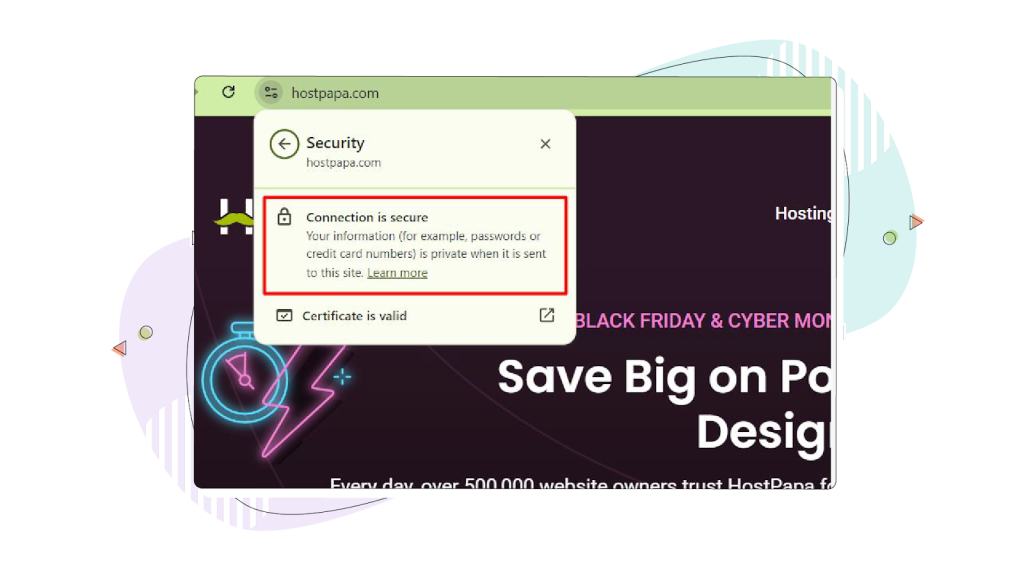
There are different types of SSL certificates:
- Domain Validation (DV) confirms that the applicant owns the domain.
- Organization Validation (OV) verifies the organization’s identity.
- Extended Validation (EV) provides the highest level of trust with thorough vetting.
For any site collecting personal information, HTTPS is required. Google also uses HTTPS as a ranking signal, meaning sites without SSL certificates rank lower in search results.
Clear Contact Information & Business Transparency
Credible sites offer:
- A Contact page with an address, phone number, or real support email.
- A visible About section with names or team details.
- Verified profiles on external platforms, including business directories or social media sites.
- Clear business hours and customer support availability.
A recent HubSpot study discovered that 62% of consumers think contact information is the most important element on a website. Visitors typically look for it in the footer, header (for call-dependent businesses), or on a dedicated Contact page.
Professional Design & User Experience Standards
A trustworthy website invests in:
- Clean page layouts.
- Readable fonts.
- Accessible color contrast.
- Clean mobile formatting.
- Predictable navigation.
- Ample white space.
- Clear call-to-action buttons.
- Consistent branding across all pages.
These details signal that a responsible team is maintaining the site. Stanford research shows that 46% of people say a website’s design is the number one criterion for determining credibility.
Avoid dark patterns—deceptive design techniques that trick users into doing things they didn’t intend, like hiding unsubscribe buttons or making it hard to cancel subscriptions.
Author Credentials, E-E-A-T & Content Governance
For topics involving health, money, safety, legal decisions, or professional advice, credibility standards are higher. Google’s E-E-A-T framework evaluates:
- Experience: Does the content creator have firsthand experience with the topic?
- Expertise: Is the creator a qualified expert?
- Authoritativeness: Is the site or author recognized as a leading source?
- Trustworthiness: Is the content accurate, transparent, and secure?
For credible sites covering these topics:
- Author names should be visible.
- Credentials should be listed and real.
- Content should be reviewed by qualified specialists.
- Sources should be clearly referenced.
- Editorial policies should be available.
This is especially important for Your Money or Your Life (YMYL) content—topics that may affect someone’s health, finances, or safety.
Customer Reviews & Social Proof Verification
Legitimate social proof includes:
- Verified customer reviews from platforms like Trustpilot or Google Reviews.
- User-generated or stock photos and videos blended with their branding.
- Real case studies with identifiable details.
- Third-party ratings from reputable organizations.
- Influencer endorsements from credible figures.
- Media mentions from recognized news outlets.
Sites with fake reviews often use repeated phrasing, inconsistent timelines, or anonymous profiles. According to research, 89% of consumers check online reviews as part of their shopping journey, and 73% agree that a good Trustpilot score makes them more likely to trust a brand.
Trust Badges, Certifications & Third-Party Seals
Look for credible, recent certifications from:
- Payment processors.
- Security companies.
- Trusted review platforms.
- Industry associations.
Fake badges are common on scam sites, so verify that seal links actually connect to a legitimate external verification page. Click on the badge—if it doesn’t link anywhere or leads to a dead page, that’s a red flag.
Privacy Policies & Legal Compliance Indicators
A credible website states:
- How it collects data.
- How long does it store information?
- How users can request changes or removal.
- Which regulations does it follow (for example, GDPR, CCPA)?
We aren’t talking only about compliance—it’s transparency. Many regions legally require clear, accessible privacy policies, and 81% of people believe how a company treats their personal data indicates how it views them as a customer.
Content Accuracy, Freshness & Maintenance Signals
Trustworthy sites show:
- Updated publication dates.
- Citation lists and source references.
- Regularly refreshed pages.
- Recent blog posts or announcements.
- Fixed broken links.
- Removal of outdated advice.
An updated website signals active care and oversight.
Advanced Credibility Assessment Methods
For important decisions—whether you’re buying something significant or verifying professional information—use advanced checks.
Tools for Checking Website Credibility & Domain Authority
These tools help validate reputation and ownership:
- Domain lookup tools (like WHOIS) to examine registration details, including when the domain was created, who registered it, and when it expires.
- Security scanners that test the site for malware and vulnerabilities.
- Browser extensions that detect risky behavior and warn you before you enter a dangerous site.
- Blacklist-checking tools (like URLVoid) that identify scam patterns across multiple security databases.
When checking domain age, remember that older domains generally offer more stability. New sites, however, can still be credible with proper transparency. Domain age tools can show you the exact registration date and ownership history.
Backlink Analysis & Reputation Verification
Strong backlink networks show that reputable sites trust the domain. You can:
- Look up who links to the site using SEO tools.
- See if respected publications cite its content.
- Investigate whether authority sources mention the business.
- Check if backlinks come from relevant, trustworthy sources rather than spammy or unrelated sites.
A site with links from recognized industry publications, news outlets, and educational institutions demonstrates stronger authority than one with links only from unknown sources.
Third-Party Verification Services & Ratings
Independent reviewers help verify trust.
- Industry quality seals and certifications.
- Review aggregators with verified purchase profiles.
- A government agency with lists of licensed professions.
- Professional association directories.
- Fact-checking organizations for news and information sites.
For specific industries, look for credentials from recognized bodies—like medical board certifications for healthcare sites or financial regulatory disclosures for investment platforms.
Industry-Specific Credibility Standards & Requirements
Different industries demand different verification levels:
- Healthcare sites need licensed medical contributors.
- Financial services need compliance disclosures.
- eCommerce stores require refund and shipping details.
- News outlets need editorial guidelines.
How to Build Website Credibility (For Site Owners)
Now let’s flip the perspective. If you own a website and want to build trust with your site visitors, here’s how to implement the signals we’ve discussed.
Get the Technical Foundation Right
Start with the basics:
- Install an SSL certificate. This is non-negotiable. Your hosting provider should offer free or affordable SSL certificates. HostPapa, for example, includes a free SSL certificate with Web Hosting plans and offers GlobalSign SSL certificates with up to 256-bit encryption for stronger protection.
- Choose dependable hosting. Your hosting provider affects your site’s speed, uptime, and security. Look for 99.9% uptime guarantees, NVMe storage for faster loading, and built-in security features like firewalls and malware scanning.
- Boost your site speed. Use a Content Delivery Network (CDN) to deliver content faster to site visitors worldwide. Compress images, minimize code, and choose a hosting plan with adequate server resources.
- Make your site mobile-friendly. Responsive design isn’t a luxury—most web traffic now comes from mobile devices.
- Keep everything updated. Regularly update your CMS, plugins, and themes to patch security vulnerabilities.
Build a Trustworthy Content Strategy
Content builds authority and trust over time:
- Cover your topic area thoroughly. Demonstrate expertise by publishing comprehensive, accurate information about your field.
- Use a clear structure. Organize content with headings, subheadings, and logical flow.
- Add author bios. Show who created the content and list their credentials.
- Cite your sources. Link to trustworthy external sources for statistics and claims.
- Update regularly. Refresh old content with current information and remove outdated articles.
- Create an editorial process. For sensitive topics, have qualified experts review content before publication.
Add Social Proof the Right Way
Social proof builds confidence:
- Collect genuine reviews. Encourage satisfied customers to leave reviews on Google, Trustpilot, or directly on your site.
- Display reviews prominently. Show star ratings on product pages and testimonials on your homepage.
- Use real testimonials. Include customer names, photos (with permission), and specific details about their experience.
- Create case studies. Document real customer success stories with identifiable details.
- Respond to feedback. Address both positive and negative reviews professionally.
- Avoid fake reviews. Fabricated testimonials damage trust when discovered—and they often are.
Legal, Compliance & Policy Pages You Need
Protect yourself and your website visitors:
- Privacy policy. Explain what data you collect, how you use it, and how users can request removal.
- Terms of service. Define the rules for using your website.
- Refund and return policy. For eCommerce, be clear about what happens if customers aren’t satisfied.
- Shipping policy. Explain delivery timelines, costs, and geographic limitations.
- Cookie policy. Disclose how you use cookies and tracking technologies.
- Industry-specific disclosures. Medical sites need health disclaimers; financial sites need regulatory disclosures.
Make Your Design & UX Work for Trust
Design communicates professionalism:
- Keep branding consistent. Use the same logo, colours, and fonts across all pages and channels.
- Avoid dark patterns. Don’t trick users into subscriptions, purchases, or data sharing they didn’t intend.
- Make contact information visible. Put your phone number, email, and address in the header or footer.
- Use real images. Authentic photos of your team, products, and workspace outperform generic stock photography.
- Design accessible pages. Use readable fonts, sufficient contrast, and alt text for images.
- Simplify navigation. Users should find what they need in three clicks or fewer.
Want your website to look more credible from day one? HostPapa’s Web Hosting plans come with a free SSL certificate, fast NVMe storage, and award-winning 24/7 support to help you build trust with every visitor.
Industry-Specific Credibility Considerations
Different industries have different trust requirements. Here’s what to look for—and what to build—in key sectors.
1. eCommerce & Retail Websites
What users should look for:
- High-quality product photos from multiple angles.
- Detailed product descriptions with specifications.
- Clear pricing with no hidden fees.
- Transparent shipping costs and delivery timelines.
- Easy-to-find return and refund policies.
- Secure checkout with recognized payment gateways.
- Verified customer reviews with purchase confirmation.
What site owners should build:
- Trust badges on checkout pages (SSL seal, payment icons, money-back guarantee).
- Real-time purchase notifications (for example, John from Leeds just bought this!).
- Confidence-building checkout copy (for example, Secure checkout with 256-bit encryption).
- Multiple payment gateways, including credit cards, PayPal, and digital wallets.
- Clear shipping information before checkout.
- Loyalty programs show commitment to repeat customers.
The Baymard Institute found that 19% of online shoppers have abandoned a checkout because they didn’t trust the website with their credit card information. Trust signals at checkout directly impact conversion rates.
2. Healthcare & Medical Information Websites
What users should look for:
- Website content written or reviewed by licensed medical professionals.
- The author’s credentials and qualifications to be listed clearly.
- Citations from recognized medical bodies or peer-reviewed journals.
- Clear disclaimers stating content isn’t a substitute for professional medical advice.
- Health on the Net (HON) certification or similar verification.
- Recent publication and review dates.
What site owners should build:
- Author pages with verified medical credentials.
- Editorial boards with qualified healthcare professionals.
- Transparent review processes for medical content.
- Privacy protections for any health data collected.
- Clear disclaimers on every medical article.
- Links to original research sources.
The Health on the Net Foundation (HON) certification holds health websites accountable to ethical standards, including sharing information only from qualified professionals and providing evidence for claims.
3. Financial Services & Advice Websites
What users should look for:
- Regulatory disclosures and licence information.
- Plain-language risk warnings.
- Clear fee and pricing explanations.
- Verification through official financial regulators.
- Author credentials in finance or accounting.
- Updated content reflecting current regulations.
What site owners should build:
- Compliance pages with registration details.
- Disclaimers explaining that the content isn’t personalized financial advice.
- Clear disclosures about affiliate relationships or commissions.
- Contact information for compliance questions.
- Regular content audits to verify regulatory accuracy.
Financial websites fall under Your Money or Your Life (YMYL) standards, meaning Google holds them to higher credibility requirements.
4. News & Media Websites
What users should look for:
- Clear separation between news, opinion, and sponsored content.
- Corrections or update notes on articles.
- Visible editorial guidelines or how we report pages.
- Named journalists with contact information.
- Ownership and funding source transparency.
- Multiple sources cited in reporting.
What site owners should build:
- Editorial policies are available publicly.
- Corrections processes for factual errors.
- Labeling for opinion, analysis, and sponsored content.
- Author bios with professional background.
- Funding and ownership disclosures.
- Fact-checking procedures.
NewsGuard, a browser extension for evaluating news credibility, uses nine criteria, including: publishing accurate content, gathering information responsibly, correcting errors, labeling advertising clearly, and revealing ownership.
5. Educational & Research Websites
What users should look for:
- Affiliation with established institutions.
- Citations, references, and publication dates.
- Author credentials and institutional affiliations.
- Peer review or editorial oversight.
- Clear methodology for research content.
- .edu domains for university sites.
What site owners should build:
- Institutional branding and verification.
- Author pages with academic credentials.
- Reference lists and citation formatting.
- Publication dates and revision history.
- Accessibility features for diverse learners.
- Contact information for academic databases and departments.
Build & Identify Trustworthy Websites With Confidence
Website credibility isn’t complicated once you know what to look for. The most important signals include:
- HTTPS and SSL certificates for security.
- Clear contact information for transparency.
- Professional design for first impressions.
- Quality content with real authors and sources.
- Social proof through verified reviews.
- Trust badges from recognized third parties.
- Privacy policies that respect user data.
- Fresh, updated content showing active maintenance.
For users, these checks become second nature with practice. Run through the quick assessment whenever you visit a new site, dig deeper for important decisions, and trust your instincts when something feels off.
For site owners, building credibility is an investment that pays off in higher conversions, lower bounce rates, and stronger customer relationships. Start with the technical foundations—secure hosting, SSL certificates, and fast loading speeds—then build trust through quality content, genuine social proof, and transparent policies.
The websites that win are the ones that earn trust through every interaction. Credibility is the main foundation that everything else rests on, whether you’re evaluating a site or building one.
Ready to Build a Credible Website?
HostPapa’s Web Hosting plans include everything you need to establish trust from day one: free SSL certificates, fast NVMe storage, a global CDN, and award-winning 24/7 support. Start building a website your visitors can trust.