Overview
CloudLinux helps improve server stability, performance, and security by isolating hosting accounts and controlling how server resources are used.
With CloudLinux, you can monitor resource usage, manage PHP versions including older ones, and enhance account isolation through WHM.
NOTE: CloudLinux is installed and maintained by HostPapa on eligible Managed VPS and Dedicated Server plans. No manual installation is required.
Access CloudLinux in WHM
- Log in to WHM as the root user.
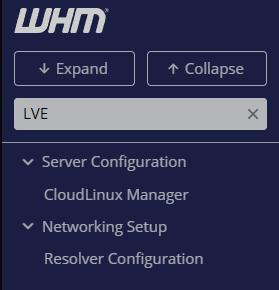
- Use the search bar in the left-hand menu.
- Search for CloudLinux Manager.
- Click the desired CloudLinux feature to open its management interface.
Using LVE Manager
LVE (Lightweight Virtual Environment) Manager allows you to monitor and control how server resources are allocated to hosting accounts.
View account resource usage
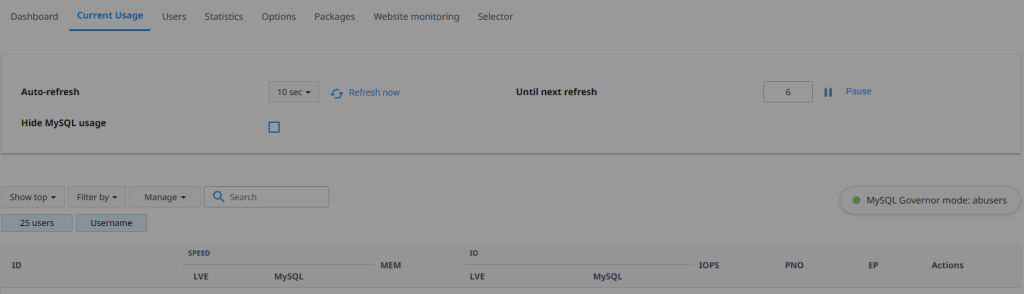
- Open LVE Manager from CloudLinux Manager in WHM.
- Select the Current Usage tab.
- Review resource usage for each account, including:
- CPU usage
- Physical memory usage
- Entry Processes
- I/O usage
- Number of processes
This information can help identify accounts that are consuming excessive resources or experiencing resource limitations.
Review resource limits

- Open LVE Manager.
- Select the Users tab.
- Locate the account you wish to review.
- View the assigned resource limits.
Resource limits help prevent a single account from negatively affecting other websites hosted on the server.
Using PHP Selector
PHP Selector allows you to manage available PHP versions and extensions.
View available PHP versions
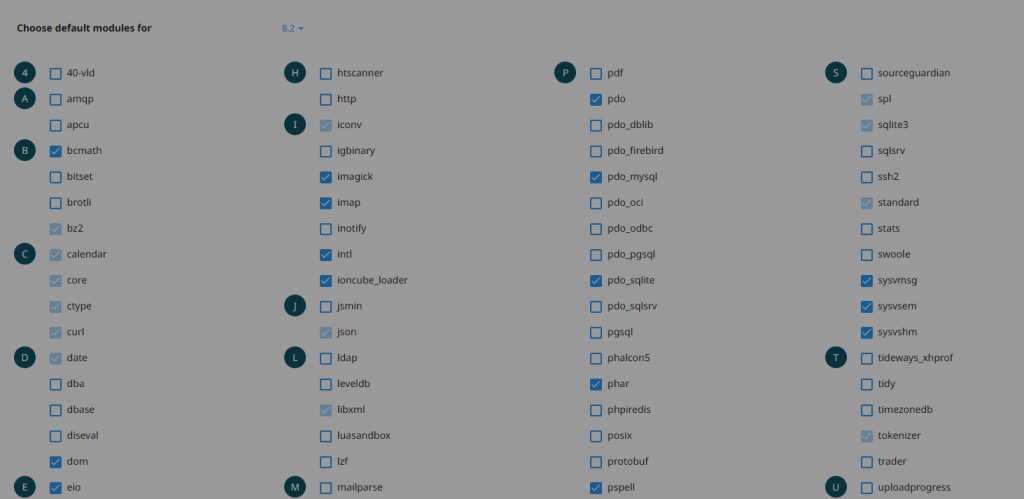
- Open PHP Selector from CloudLinux Manager in WHM.
- Review the list of available PHP versions.
- Verify that the required PHP versions are enabled for your hosting accounts.
Manage PHP extensions
- Open PHP Selector.
- Select a PHP version.
- Review the available extensions.
- Enable or disable extensions as required.
Changes may affect website functionality. Always verify compatibility before making changes.
Using CageFS
CageFS is a virtualized file system that isolates hosting accounts from one another.
Review CageFS status
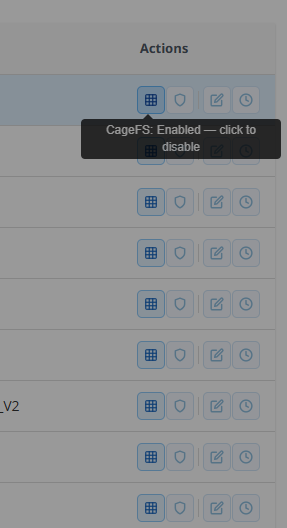
- Open CageFS within the Options tab from CloudLinux Manager in WHM.
- Verify that CageFS is enabled.
- Review any available configuration settings.
CageFS helps prevent users from accessing information belonging to other accounts on the server.
Monitoring server performance
CloudLinux includes reporting tools that can help identify:
- Accounts reaching resource limits
- Excessive CPU usage
- High memory consumption
- I/O bottlenecks
- Performance-related issues
Reviewing these reports regularly can help maintain server stability and improve performance.
Additional information
Changes to CloudLinux settings can affect website performance and resource availability.
For advanced configuration options, refer to the CloudLinux documentation:
NOTE: HostPapa manages CloudLinux installation, licensing, updates, and platform maintenance. Customers are responsible for reviewing and configuring CloudLinux settings according to their hosting requirements.
If you need help with your HostPapa account, please open a support ticket from your Dashboard.