This tutorial describes how to set up a Google Workspace email account on your Mac computer using the Apple Mail app.
NOTE: For this tutorial, we will use setup@webtraining.cloud as our test email account. You will need to change some of the settings to match your setup.
First, open the Mail app.
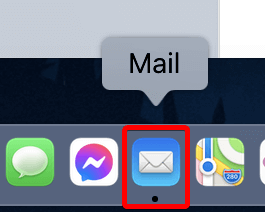
NOTE: If you haven’t added a new account yet, you’ll be taken directly to the Add Account prompt.
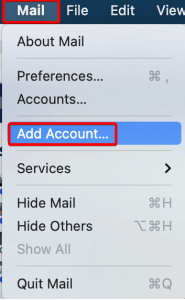
From the Mail menu, choose Add Account.
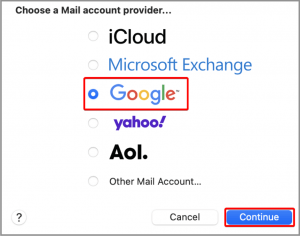
Next, choose the Google option, then click Continue.
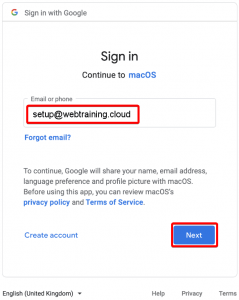
Enter the email address that you are setting up, then click Next.
Now enter the password, then click Next.
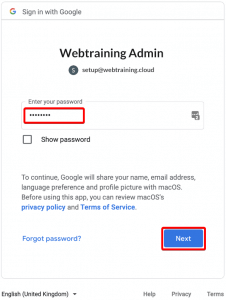
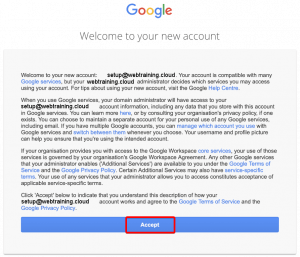
Google will then show a screen outlining their terms of service, along with some notable policies. Once you’re ready, click Accept to continue.
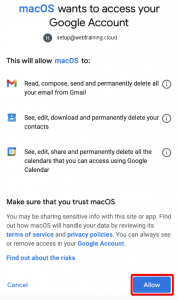
The screen that follows is where you allow your new Google account to access your MacOS. After reviewing the details, when you’re ready, click Allow.
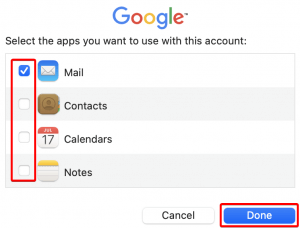
Next, choose the apps you would like to access with this account. The Mail app is required for email functionality.
Click Done when ready to complete the setup.
Default Email Account Settings (Google Workspace)
Secure SSL/TLS Settings (Recommended)
| Username: | Use the full email you are setting up. |
| Password: | Use the email account’s password. |
| Incoming Server: | imap.gmail.com (or pop.gmail.com if using POP account type)
|
| Outgoing Server: | smtp.gmail.com
|
| IMAP, POP3, and SMTP require authentication. | |
If you need help with your HostPapa account, please open a support ticket from your dashboard.